Using AI in Design Automation: A Layerre Guest Guide with PromptBuilder
Design automation in 2026 is less about novelty and more about reliability. The best teams are using AI to turn brand systems into repeatable outputs that ship faster without sacrificing quality. This guest guide from Layerre shows how to pair Layerre with PromptBuilder to build a clean, scalable automation layer for design operations.
What design automation means in 2026
Design automation is the practice of turning a creative request into a consistent, on-brand output with minimal manual effort. It is not a single tool. It is a system:
- A prompt library that translates brand rules into inputs
- An automation layer that turns structured inputs into layouts, templates, and variants
- A quality loop that validates outputs and captures learnings
The goal is simple: spend more time on high-value creative work and less time on repetitive production.
Where PromptBuilder fits
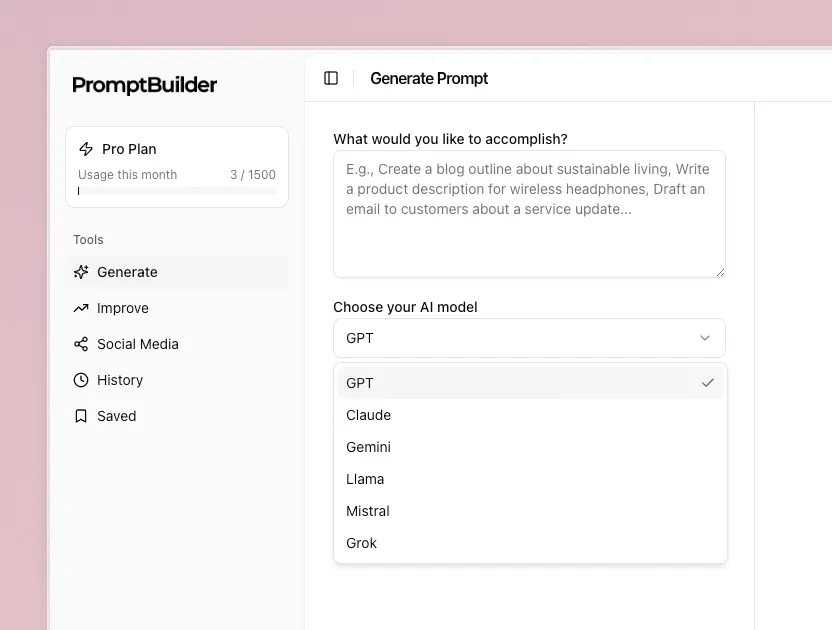
PromptBuilder is the place where intent becomes structure. Instead of one-off prompts that drift over time, PromptBuilder lets teams create reusable templates and parameters that map directly to brand systems.
Common uses:
- Turn brand guidelines into prompt templates with placeholders
- Define output formats for briefs, assets, and handoff notes
- Version prompts as campaigns and product lines evolve
- Create prompt packs that non-technical teammates can use safely
Think of PromptBuilder as the "briefing engine" for your automation stack.
Where Layerre fits
Layerre provides the design automation layer that helps turn structured inputs into repeatable design outputs. It helps teams:
- Translate structured inputs into layout-ready outputs
- Generate consistent variants across sizes and channels
- Apply design rules and brand constraints at scale
- Keep the automation layer predictable as campaigns grow
Together, PromptBuilder and Layerre form a loop: prompt with structure, automate with confidence, and feed learnings back into the next version of the prompt.
A simple integration loop
Here is a practical blueprint that teams can implement quickly:
-
Define the brand system Capture tone, typography, spacing, imagery rules, and do-not-do lists.
-
Create prompt templates in PromptBuilder Build prompts for briefs, asset generation, QA checks, and handoff notes.
-
Feed prompt outputs into Layerre templates Turn briefs and structured prompts into layout-ready inputs.
-
Generate structured variants Produce controlled variations for campaigns, regions, or channels.
-
Validate with QA prompts Use PromptBuilder to generate quality checklists and compliance reviews.
-
Measure and iterate Track cycle time, revision counts, and usage of prompt versions.
Example prompt pack for design automation
Below is a compact prompt pack that works well with Layerre templates. These prompts are intentionally structured to reduce drift.
1) Creative brief prompt
Role: Senior brand strategist
Goal: Write a design brief for {{campaign_name}}
Audience: {{target_audience}}
Brand voice: {{brand_voice}}
Channels: {{channels}}
Output: Objectives, Key message, Visual direction, Required assets, Constraints, Success criteria
2) Asset variant generator
Task: Generate 5 on-brand variations for {{asset_type}}
Inputs: {{core_message}}, {{visual_direction}}, {{cta}}
Rules: Keep copy under {{char_limit}} characters, avoid {{forbidden_terms}}
Output: Variation name, Copy, Visual notes, CTA
3) QA and compliance checklist
Check: Review the following asset for brand compliance
Input: {{asset_description}}
Rules: {{brand_rules}}
Output: Pass/Fail for each rule, plus a short revision list
4) Handoff notes for production
Task: Create production handoff notes for {{asset_type}}
Inputs: {{approved_variant}}, {{dimensions}}, {{export_formats}}
Output: Final copy, layout notes, file specs, risks to watch
Guardrails that keep automation safe
Automation only scales if quality is consistent. Keep these guardrails in place:
- Use a single source of truth for brand rules and constraints
- Build prompts with clear output structure and hard limits
- Require a QA checkpoint before any asset is published
- Track prompt versions with change notes and owners
- Review prompts quarterly to prevent gradual drift
What to measure
If you want to prove the value of design automation, measure what matters:
- Time from request to final asset
- Number of revisions per asset
- Reuse rate of prompts and prompt packs
- Cost per variant and per locale
- Team satisfaction with revision cycles
These metrics help you see which parts of the system deserve more automation and which need more creative attention.
Get started
Start small with one campaign or asset type. Build one prompt pack in PromptBuilder, connect it to Layerre templates, and measure results for a few weeks. Then expand.
For more on Layerre, visit Layerre. For prompt templates and reusable prompt systems, explore PromptBuilder.