
10 Social Media Bio Generator Tools for 2026
You've got a creator profile, a freelance service, or a company account that needs attention, and the same sentence can't do the job everywhere. Instagram needs a compact value proposition. LinkedIn needs sharper professional context. TikTok rewards brevity and personality, while a newsletter or website can carry more explanation. Copying one bio across every profile usually creates awkward line breaks, weak calls to action, and wording that doesn't match the platform.
The best social media bio generator isn't necessarily the one that produces the smoothest first draft. It's the one that understands the destination, audience, character limit, tone, and action you want visitors to take, while leaving you with minimal cleanup. This comparison focuses on those practical differences, including platform handling, variation quality, brand controls, signup friction, workflow extensions, and editing effort.
The tools are ordered for usefulness in real workflows, not because one universal winner exists. Treat every generated bio as a draft. Check its claims, replace generic language with specific proof, confirm the live profile limit, and make sure the final line gives visitors a credible next step. For broader positioning guidance, see these Instagram bio examples and advice.
Table of Contents
- 1. The Solopreneur Prompt Pack with 260 Free AI Prompts
- 2. Hootsuite Free Social Media Bio Generator
- 3. Ahrefs Free AI Social Media Bio Generator
- 4. Copy.ai Free Bio Generator
- 5. SocialCal Social Media Bio Generator
- 6. Pallyy Social Media Bio Generator
- 7. PostOnce Free AI Bio Generator
- 8. Crowbert Instagram Bio Generator with LinkedIn and X Support
- 9. Bibby Free Social Media Bio Generator
- 10. Nomely Social Media Bio Generator
- Top 10 Social Media Bio Generators, Feature Comparison
- Choose the Generator by Your Editing Workflow
1. The Solopreneur Prompt Pack with 260 Free AI Prompts
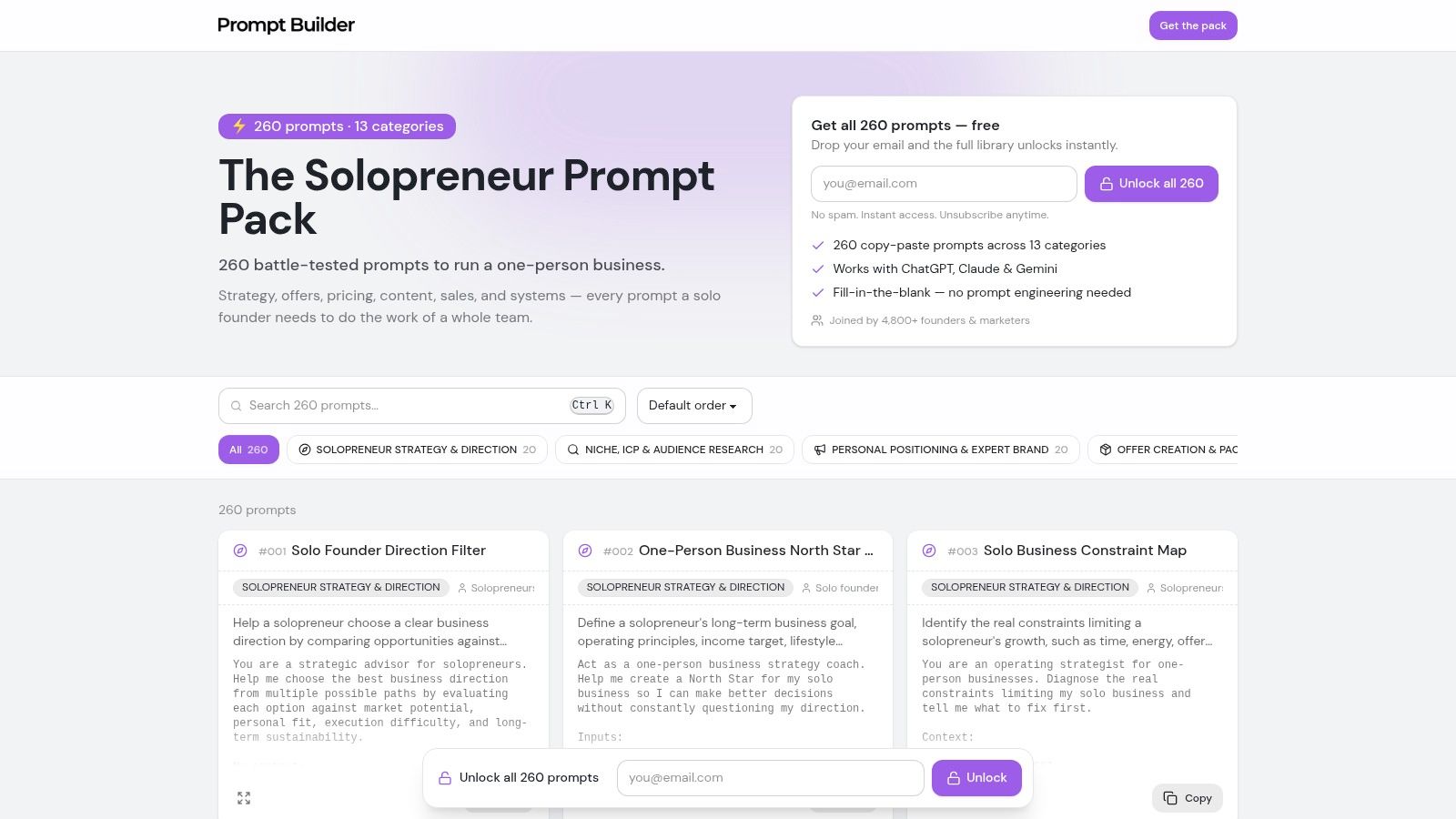
The Solopreneur Prompt Pack is the strongest option here when the problem isn't one empty bio field, but inconsistent positioning across several profiles. Its Profile Bio Conversion Builder, Template #045, is designed to create platform-specific bios for LinkedIn, X/Twitter, Instagram, Threads, TikTok, YouTube, newsletters, websites, and other profile contexts. That makes it more useful than a generator that only returns one polished sentence.
The pack is free to access and includes 260 prompts aimed at solo founders, freelancers, and one-person businesses. The adjacent prompts matter just as much as the bio template. You can refine the brand voice, change the tone, clarify the conversion goal, and reuse the resulting direction for related social content instead of starting from a blank page every time.
Best fit: Solopreneurs who need one positioning system adapted across multiple channels, not ten disconnected bios.
Where the workflow earns its place
The pack works inside Prompt Builder, so you can iterate in the built-in chat, save useful versions in your Library, and use the Prompt Optimizer when the instruction produces vague or repetitive copy. That workflow is valuable when you're testing whether your bio should lead with a role, audience, outcome, point of view, or offer. The prompt engineering for marketing guide is a useful companion if you want to make those iterations more deliberate.
The platform-specific structure also reduces manual rewriting. You still need to validate each result, but you're less likely to force a LinkedIn-style description into an Instagram profile or squeeze a website introduction into a short social field.
Trade-offs and editing effort
The outputs are starting points, not finished personal positioning. A generic input such as “marketing consultant” will usually produce familiar language. Add the audience served, the problem solved, the specific area of expertise, and the action you want people to take if you want a bio that sounds like a real person rather than a category label.
The main friction is that the best experience requires a Prompt Builder account and some familiarity with its generation, iteration, optimizer, and Library features. That's a worthwhile trade for users building a repeatable content system, but it's more setup than a one-click tool.
Visit the Solopreneur Prompt Pack when you want multi-platform bio drafting tied to broader brand and content work.
2. Hootsuite Free Social Media Bio Generator
Hootsuite is the practical choice when you need a quick draft without creating an account first. The tool lets you choose from more than 15 social networks, select the account type, add keywords, and provide a call to action. It then creates a bio sized for the selected network, which is a better starting point than asking for a generic description and trimming it yourself.
The interface is straightforward. You tell it what the account represents, identify the platform, and guide the output with a few terms. That makes it useful for a marketer preparing several client profiles or a creator who wants a clean first pass before moving into a wider publishing workflow.
What works and what needs revision
Hootsuite's strength is speed and accessibility. There's no signup barrier for the initial generation, and the tool connects naturally to Hootsuite's broader scheduling and analytics environment. If your team already uses Hootsuite, the bio generator fits the same operational mindset as the rest of the platform.
The limitation is creative control. Compared with more specialized tools, it offers fewer ways to define a distinctive voice, structure, or personality. The output may be perfectly usable for a local business, consultant, or professional account, but it can sound interchangeable if your positioning depends on a strong point of view.
Use the Hootsuite social media bio generator when you need a reputable, low-friction draft and already expect to manage the surrounding content in a social media suite. You can then place the bio inside a broader social media content workflow for captions, posts, and repeatable review.
A small amount of editing usually makes the difference. Replace broad claims with a specific audience or result, remove filler adjectives, and keep only one action. For sponsorship-focused TikTok profiles, compare the final wording with these bio ideas for TikTok sponsorship.
3. Ahrefs Free AI Social Media Bio Generator
Ahrefs makes sense when you want fast ideation from a familiar marketing software company and you prefer comparing several versions rather than accepting the first result. The generator produces three variants per run, offers tone controls, and lets you select a platform. You can also choose whether hashtags or emojis should appear, which helps prevent a professional profile from receiving an unnecessarily decorative draft.
The experience is intentionally simple. Enter the relevant details, select the tone, and review the alternatives. It's a good fit for marketers who are already thinking about search language, audience intent, and consistency between profile copy and the rest of their content.
Variation quality versus workflow depth
The three-output format is useful because bios often fail through emphasis, not grammar. One version may lead with expertise, another with the audience served, and another with the action. Comparing them makes it easier to identify the right opening before you edit the final wording.
Ahrefs is less compelling if you need a dedicated bio workspace with deep brand controls, saved testing structures, or extensive profile management. The page sits within the company's broader free writing-tools ecosystem, and some capabilities are identified as beta, so the interface and feature set may change.
Use the Ahrefs AI social media bio generator for a fast, credible starting point. Don't mistake a polished variant for a validated positioning decision. Check whether the selected keywords describe what you publish, and remove hashtags that add clutter without helping visitors understand the account.
A useful editing pass is to rank the three drafts by clarity. Keep the version that tells the right audience what you do fastest, then borrow a stronger phrase or CTA from the other options.
4. Copy.ai Free Bio Generator
Copy.ai is built for users who want to move from a bio into a larger marketing-content workflow. Its free bio generator creates a one-click draft, and the tool sits inside a broader suite that can also support captions, posts, and other content. That makes it a reasonable choice for marketers who don't want a standalone utility for every small copy task.
The initial experience is uncomplicated. Provide the core identity and context, generate a draft, and decide whether the wording is close enough to edit or whether you need another pass. Copy.ai's established product environment also gives teams a familiar place to expand the work beyond profile copy.
When the larger platform helps
Copy.ai works best when the bio is one part of a campaign or content system. A brand team can use the same positioning notes to develop profile text, social posts, captions, and related messaging. That continuity can reduce the risk of a profile promising something that the account's content doesn't support.
The bio page itself offers fewer platform-specific controls than some dedicated competitors. You may need to handle more of the adaptation manually, especially when the same positioning must be compressed differently for each network. The broader product experience may also work better after logging in, which adds friction if you only need one quick draft.
Choose the Copy.ai free bio generator when continuity with wider marketing copy matters more than specialized bio controls. Before publishing, check every factual statement and remove generic phrases such as “helping businesses grow” unless you can replace them with a clear audience, service, or outcome.
The best result usually comes from using Copy.ai for the first structure, then editing the language until the profile sounds like the person or company behind it. A generator can organize the message, but it can't supply your actual expertise or proof.
5. SocialCal Social Media Bio Generator
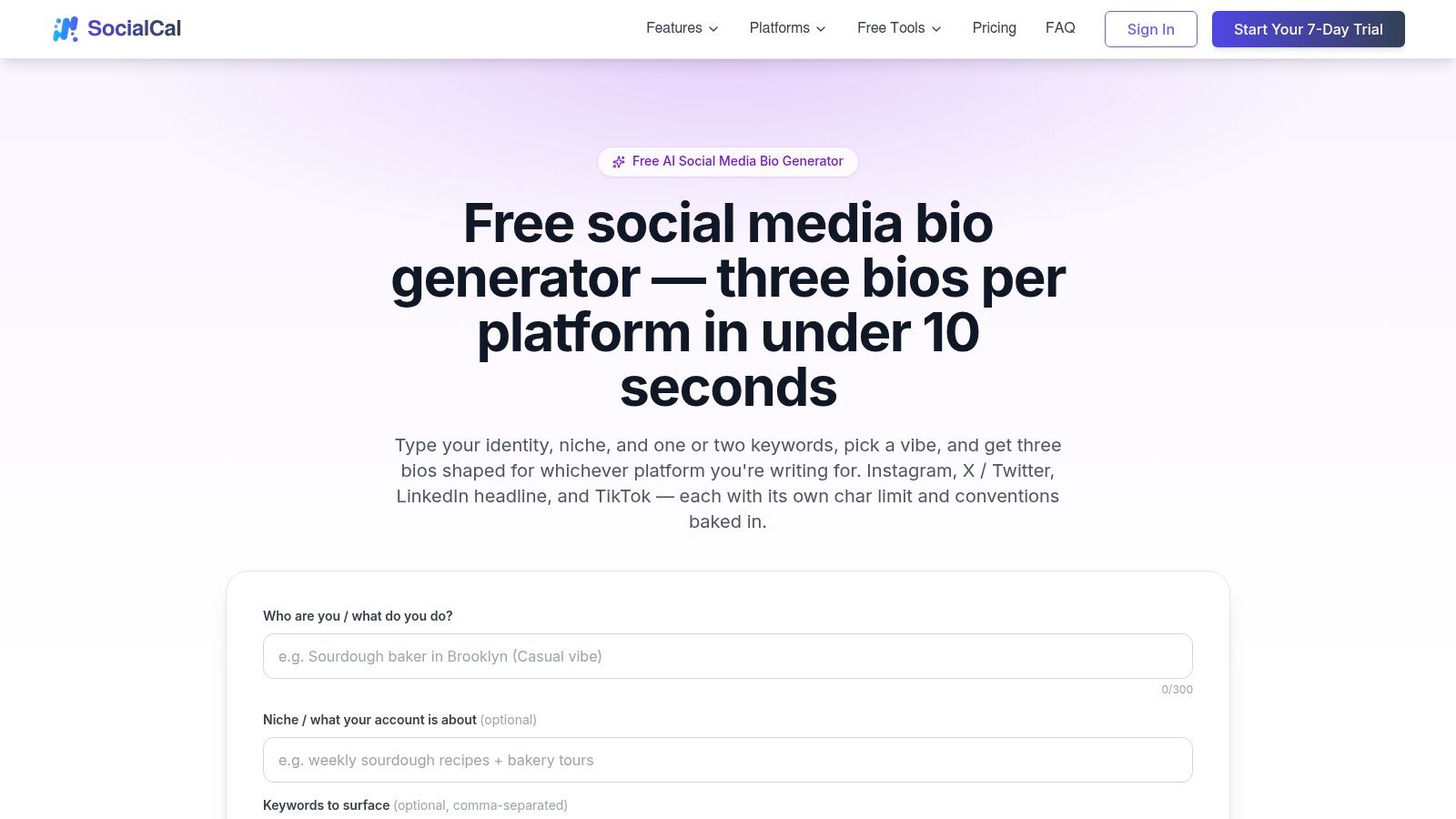
SocialCal is a strong option when character limits are the main source of frustration. It focuses on Instagram, X, LinkedIn headlines, and TikTok, with platform-specific limits built into the generation flow. You can select one of four tone presets, Professional, Casual, Witty, or Creative, and receive three options per run.
That combination is practical. You don't have to generate a long paragraph and then discover that the platform rejects it. You also get enough alternatives to compare a direct value proposition with a more personality-led version without opening several tools.
Strong guardrails, narrower coverage
The tool's free tier supports three generations per day or 15 per month, with higher limits available to subscribers. Those limits are relevant if you're rewriting bios for multiple clients or testing many positioning angles. For an occasional profile update, the no-signup free access is convenient and the guardrails do most of the technical work.
SocialCal is focused on four platforms, so users working across additional networks will need to adapt the output manually. It also gives you preset tones rather than a fully developed brand-voice system. That's enough for a quick draft, but it won't replace a detailed voice guide for a team or established brand.
Use the SocialCal social media bio generator when you want the platform limit handled before you start editing. Read each option aloud. If the wording technically fits but sounds compressed, remove a secondary idea rather than weakening every phrase.
A short bio should make one promise clearly, not squeeze several vague promises into the available space.
The tool is particularly useful for TikTok and Instagram drafts where line length and visual rhythm can change how the profile feels. Still, paste the final version into the live profile and inspect the actual rendering before you call the job finished.
6. Pallyy Social Media Bio Generator
Pallyy is less about producing one perfect bio and more about helping you assemble a profile's surrounding content. It offers separate generators for Instagram, TikTok, X/Twitter, and Facebook, then adds companion tools for captions, hooks, headlines, UTM building, and visual resizing.
That broader toolkit is useful when profile setup happens alongside a campaign launch. You may need a new bio, a profile link with tracking, a set of captions, and correctly sized visuals in the same session. Pallyy keeps those tasks close together rather than forcing you to search for separate utilities.
A useful ecosystem with a busier interface
The main trade-off is navigation. The interface spreads across several widgets and tools, so it can take a moment to understand where each task belongs. That isn't a major problem for a social media manager working repeatedly inside the platform, but it's less attractive if you only want a quick bio and nothing else.
Pallyy's page provides less explicit character-limit detail than tools designed around strict profile constraints. Treat the generated text as a draft, then verify the limit on the destination platform. This matters especially when you move an Instagram-oriented draft to another network, where formatting and available space may differ.
The Pallyy bio generator fits users who value workflow extensions over a minimal interface. It can help you turn a profile rewrite into a more complete publishing task, but you'll still need to make the final judgment about voice, specificity, and the next action.
A good Pallyy workflow starts with the bio's promise, then builds supporting captions and link tracking around that promise. Don't let the presence of extra tools push you into adding more profile claims than a visitor can quickly understand.
7. PostOnce Free AI Bio Generator
PostOnce is the best fit for users who want many alternatives without signup friction. It supports six tones, Professional, Creative, Casual, Witty, Inspirational, and Minimalist, and generates eight variations per run. It also supports more than 10 platforms, with documented limits including Instagram at 150 characters, X at 160 characters, and TikTok at 80 characters.
Those controls make the tool useful for comparison. Instead of asking whether one generated bio is acceptable, you can identify which structure works best for the profile. One option may be concise and professional, another may use a stronger hook, and another may preserve more personality.
Quantity is useful only with a selection process
PostOnce advertises unlimited free bios, which removes much of the friction associated with repeated drafting. The interface is more utilitarian and dense than some polished marketing platforms, but that can be a fair exchange when your priority is getting several usable directions quickly.
The weakness is depth. It's an independent tool, so you shouldn't expect the advanced brand governance or connected campaign workflow found in larger suites. The generator can give you options, but it won't decide which promise is credible for your audience.
Use the PostOnce free AI bio generator when variations and documented platform limits matter more than brand-system features. Start by selecting the strongest opening across the eight options, then choose one CTA. Don't combine every appealing phrase into a crowded final draft.
Selection rule: Keep the variation that a stranger understands fastest, not the one with the most personality markers.
The clear limit references reduce manual trimming, but you should still check the live profile. Platforms can change formatting behavior, and line breaks, emojis, or display fields may affect how the finished bio appears.
8. Crowbert Instagram Bio Generator with LinkedIn and X Support
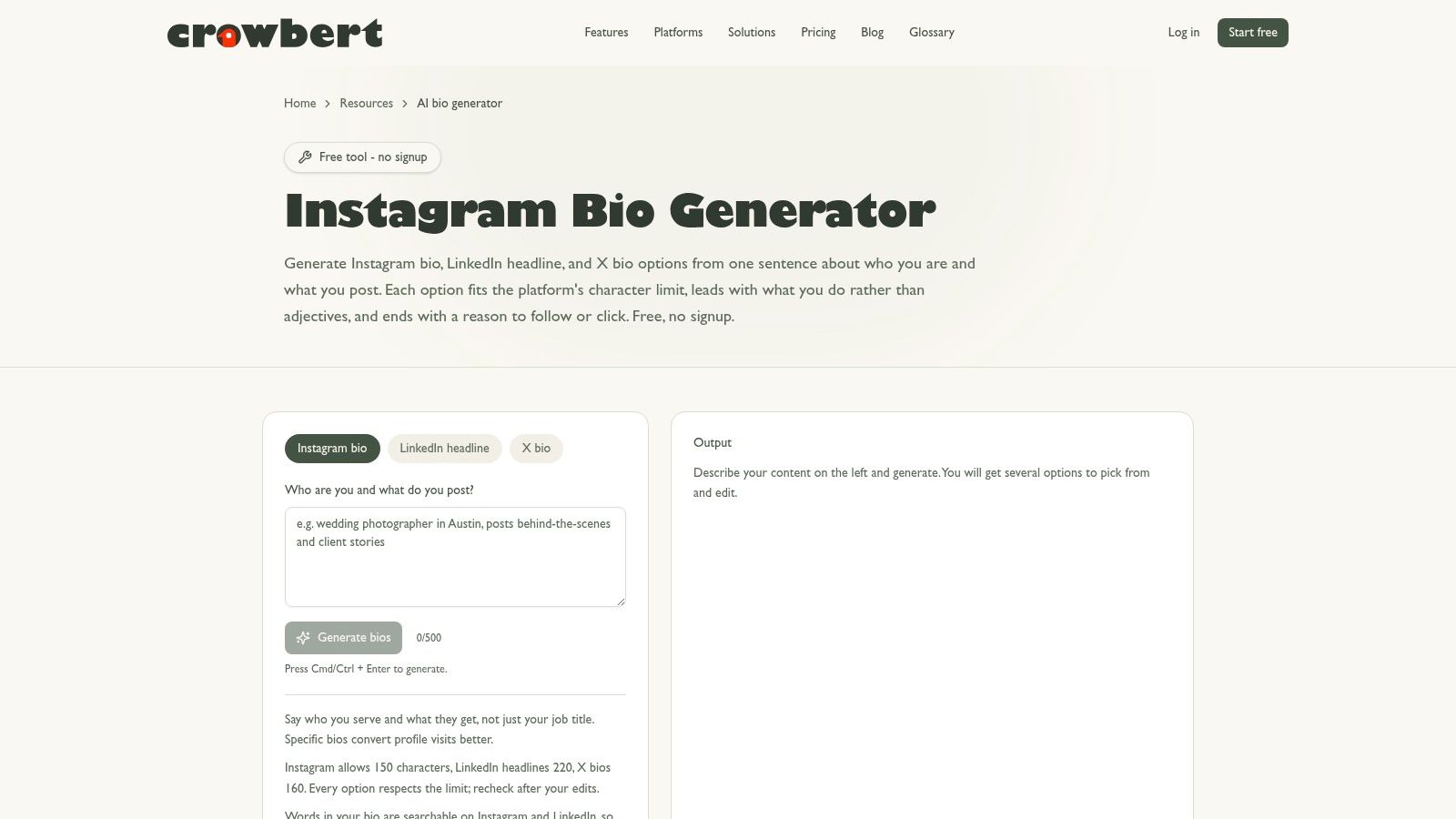
A creator can use Crowbert to refresh an Instagram profile, then move from the revised bio into campaign planning, scheduling, and analytics. The tool also offers guidance for LinkedIn and X, so it suits users who want one starting point before adapting their positioning across platforms.
Its main trade-off is workflow depth versus bio control. If the new profile introduces an offer, campaign, or content theme, Crowbert gives you a path to develop and manage that work in the same platform. If you only need copy, the extra features may add little value.
Instagram-first drafting with manual refinement
Crowbert is more focused on Instagram than on a broad network-by-network setup. Its controls are lighter than those of dedicated generators that provide detailed tone settings, multiple variation formats, or clear platform-limit guidance. Users who need distinct versions for different audiences should expect to edit the drafts themselves.
The Crowbert Instagram bio generator fits a campaign-led workflow. For LinkedIn positioning, compare the draft with a dedicated LinkedIn bio tool, especially when your profile needs more context about expertise, clients, or professional outcomes.
Use the Instagram caption generator to create posts that demonstrate the promise stated in the bio. A profile claiming a specialty needs recent content that supports it, rather than relying on polished wording alone.
Crowbert also provides a Crowbert Instagram Bio Generator with LinkedIn and X Support reference image.
Review every draft against the live profile, platform limits, and actual offer before publishing. The tool is a practical entry point to a wider workflow, not a substitute for positioning judgment.
9. Bibby Free Social Media Bio Generator
Bibby takes a guided approach to bio drafting. You choose a platform and tone, then receive one primary bio plus two alternatives. The tool supports Instagram, LinkedIn, Facebook, X, and YouTube, and it provides character-limit guidance so you have a clearer sense of how much editing remains.
That output structure is well suited to users who don't want eight loosely related drafts. Three options create a manageable decision set. You can choose the most direct version, take a stronger phrase from an alternative, and finish the copy without sorting through a large batch.
Useful continuation into publishing
Bibby's main strength is the next-step workflow. The generator connects with Bibby's caption tools and scheduler, which can help you keep profile language and ongoing posts aligned. This is useful for small teams that want a simple route from profile setup to regular publishing.
The required free account is the clearest friction point. It's not a major barrier if you expect to use the companion features, but it makes Bibby less convenient than no-signup tools for a single quick experiment. Tone controls are also less granular than those in some specialist generators.
Visit the Bibby free social media bio generator when you prefer guided output and a connected scheduling path. Review the primary version and alternatives side by side, then remove any statement that describes an aspiration rather than the account's current focus.
Bibby is most effective when you already know the profile's audience and action. If those inputs are unclear, the tool can produce tidy copy that still lacks a convincing reason to follow or click.
10. Nomely Social Media Bio Generator
Nomely is the simplest branding-oriented option in the list. It supports Instagram, X/Twitter, LinkedIn, TikTok, YouTube, and Threads, with automatic character counting, tone controls, optional emojis, and guidance on discoverability keywords. It also positions itself as free forever and requires no signup, which makes it easy to use for a quick first pass.
The tool's briefing approach is more useful than a blank text box. You can think through the value proposition, relevant keywords, and the personality you want to convey before asking for a draft. That makes Nomely a good fit for a founder naming a brand, a freelancer refining a personal profile, or a creator trying to make a niche more obvious.
Convenient drafting without a larger workflow
Nomely's main limitation is integration depth. It's an independent tool rather than a full social management suite, so you won't get the same connected scheduling, campaign, or analytics path offered by Pallyy, Bibby, or Crowbert. Its on-page ratings are vendor-reported, so evaluate the actual wording instead of treating those ratings as proof of quality.
The Nomely social media bio generator is a sensible choice when you want no-signup access and branding prompts. Automatic counting helps with mechanical editing, but it doesn't tell you whether the bio is persuasive, credible, or distinctive.
Use the keyword guidance carefully. Add terms that describe your content, services, or expertise, then cut anything that makes the bio read like a search-engine list. The finished profile should sound natural to a person first.
Top 10 Social Media Bio Generators, Feature Comparison
| Tool | Key features ✨ | UX / Quality ★ | Best for 👥 | Unique selling point 🏆 | Price 💰 |
|---|---|---|---|---|---|
| The Solopreneur Prompt Pack, 260 Free AI Prompts | 260 model‑tuned prompts; Profile Bio Conversion Builder (#045); in‑chat iteration; Library | ★★★★☆, high consistency; needs platform familiarity | 👥 Solopreneurs, freelancers | 🏆 Profile Bio Conversion Builder + Prompt Optimizer & reusable Library | 💰 Free (in Prompt Builder; account recommended) |
| Hootsuite, Free Social Media Bio Generator | 15+ network selector; keyword & CTA inputs; network‑sized outputs; links to scheduler | ★★★★☆, fast, reputable, limited style controls | 👥 Busy marketers wanting quick bios + scheduling | 🏆 No‑signup, network‑aware sizing with upgrade path to analytics | 💰 Free; paid Hootsuite plans available |
| Ahrefs, Free AI Social Media Bio Generator | Tone selector; 3 variants per run; hashtag & emoji options; part of Ahrefs tools | ★★★★☆, solid ideation, some beta features | 👥 SEOs & marketers seeking tone + variants | 🏆 Multiple variants + Ahrefs marketing credibility | 💰 Free (within Ahrefs writing tools) |
| Copy.ai, Free Bio Generator | One‑click bio drafts; part of broader content suite; expand to captions/posts | ★★★★☆, quick drafts; better with account | 👥 Marketers wanting fast drafts & content scaling | 🏆 Easy jump from bio to captions & longer content workflows | 💰 Free tool; optional paid account |
| SocialCal, Social Media Bio Generator | Per‑platform character guardrails; 4 tone vibes; 3 options/run; clear limits | ★★★☆☆, strict guardrails; limited platforms & free limits | 👥 Users needing strict character control | 🏆 Strong character‑count enforcement + tone presets | 💰 Free tier (3/day or 15/month); paid upgrades |
| Pallyy, Social Media Bio Generator (multi‑platform) | Separate platform flows; companion AI tools (captions, hooks); image resizers | ★★★★☆, broad feature set; interface learning curve | 👥 Users building end‑to‑end profiles & visuals | 🏆 End‑to‑end profile setup (AI + visual utilities) | 💰 Free tools; paid plans for advanced features |
| PostOnce, Free AI Bio Generator | 6 tones; 8 variations per run; documents per‑platform limits; unlimited free claim | ★★★★☆, many variations; utilitarian UI | 👥 Users wanting lots of options for A/B comparison | 🏆 High variation count + explicit platform limits | 💰 Free (advertised unlimited) |
| Crowbert, Instagram Bio Generator (+ LinkedIn & X) | Instagram‑first generator with LinkedIn/X pointers; integrates to CM platform | ★★★☆☆, smooth Instagram flow; lighter on other platforms | 👥 Instagram‑first creators planning to scale to campaigns | 🏆 Seamless on‑ramp to campaign creation & analytics | 💰 Free entry; paid social management product |
| Bibby, Free Social Media Bio Generator | Tone selection; 1 primary + 2 alternatives; platform limits; caption & scheduler integration | ★★★★☆, clear guidance; requires account | 👥 Users who want templates + posting workflow | 🏆 Templates + captioning & scheduler integration | 💰 Free (account required); paid features |
| Nomely, Social Media Bio Generator | Platform selector; auto character count; tone & emoji; discoverability keyword guidance | ★★★★☆, branding‑focused, no signup | 👥 Branding/naming teams & freelancers | 🏆 Emphasis on discoverability keywords & brand guidance | 💰 Free forever (no signup) |
Choose the Generator by Your Editing Workflow
There isn't one best social media bio generator for every profile. The right choice depends on how much positioning work you need to do, how many platforms you're adapting for, and whether you want a standalone draft or a connected publishing workflow.
Choose the Solopreneur Prompt Pack when you're building a coherent presence across several platforms. Its Profile Bio Conversion Builder supports LinkedIn, X/Twitter, Instagram, Threads, TikTok, YouTube, newsletters, websites, and other profile contexts, while the surrounding Prompt Builder workflow helps you refine voice, conversion goals, and reusable messaging. This is the strongest fit for solo operators who expect to revise and reuse their positioning rather than write a bio once.
Choose Hootsuite or Ahrefs for a fast draft from established marketing platforms. Hootsuite is especially practical when you want platform selection, keywords, a CTA, and a path into scheduling and analytics. Ahrefs is useful when you want three quick variants with tone, platform, hashtag, and emoji choices.
Choose SocialCal or PostOnce when character limits and variation quality are your main concerns. SocialCal gives you tighter platform guardrails and four tone presets across focused networks. PostOnce gives you six tones, eight variations, broad platform coverage, and documented limit references. Both reduce the amount of mechanical trimming, though neither removes the need for judgment.
Choose Pallyy, Bibby, or Crowbert when the bio is part of a wider social workflow. Pallyy adds captions, hooks, headlines, UTM building, and visual utilities. Bibby combines guided bio output with captions and scheduling. Crowbert is a sensible entry point for Instagram users who expect to move into campaign creation and management.
Choose Nomely for branding-oriented drafting without signup friction. It's convenient for quick passes, automatic counting, tone selection, emoji control, and discoverability keywords, but it offers fewer integrations than the larger social platforms.
AI-assisted social content is already a routine part of professional work. In Sociality.io's 2026 survey, 89.7% of social media and marketing professionals said they use AI at least several times a week, 64.1% said they use it daily, and 45.9% said they use it for text or caption writing, including first drafts and rewrites in different tones, as reported by Sociality.io's 2026 AI social media survey summary. The same source reports that 78.4% apply moderate or extensive editing before publishing, which matches the practical reality of bio generation. The tool supplies speed and alternatives. You supply accuracy, specificity, and taste.
Use this implementation checklist after generating a draft:
- Define the audience and promise: State who the profile serves and what visitors can expect.
- Select the platform first: Don't adapt a long LinkedIn-style explanation after the fact.
- Request several variants: Compare direct, professional, conversational, and personality-led structures.
- Verify every claim: Remove unsupported credentials, results, services, or experience.
- Delete generic wording: Replace “helping people succeed” with a concrete audience, specialty, or offer.
- Check the live character limit: The tool's counter is useful, but the destination profile is the final authority.
- Add one relevant action: Invite a follow, message, download, booking, subscription, or visit, not all of them.
- Test against the actual goal: Ask whether a new visitor knows who you are, what you provide, and what to do next.
A bio is a small field with a large editing burden. The best generator is the one that gives you the right raw material for your workflow, then makes revision easier rather than hiding the decisions you still need to make.
Prompt Builder helps you generate, refine, test, and organize model-tuned prompts for bio writing, social posts, captions, and wider marketing workflows. Use the Prompt Builder platform to turn one positioning idea into platform-specific drafts you can iterate, save, and reuse.
Related Posts
10 Best Blog Post Outline Generator Tools
September 4, 2026
Social Media Management Platform Comparison for 2026
August 10, 2026
10 Best AI Tools for Social Media Managers in 2026
July 30, 2026