
How to Test AI: The Complete Prompt Testing Guide
Testing AI means measuring accuracy, safety, latency, and real workflow integration together, using standardized benchmarks alongside production-grade evaluation. For frontier systems, a useful benchmark may begin around 0.1% to 10% accuracy, while adversarial testing has found multi-turn attacks averaging 28% panel vulnerability, compared with below 13% for single-turn obfuscation attacks.
You've probably seen the failure pattern already. A prompt works in a clean demo, the answer looks polished, and everyone approves the launch. Then the system meets a messy customer request, retrieves the wrong document, calls a tool with an invalid parameter, or takes so long that the user abandons the task.
That's why learning how to test AI isn't mainly about finding a better score for a model. It's about proving that the complete system behaves correctly when prompts, retrieval, tools, application logic, users, and operational constraints interact. A benchmark can tell you whether a model handles a fixed task. A workflow evaluation tells you whether your product can complete the job.
Table of Contents
- Why Most AI Systems Fail in Production
- Defining Your Evaluation Objectives
- Choosing the Right Evaluation Metrics
- A/B and Regression Testing Strategies
- Stress-Testing for Robustness and Safety
- Automating Test Execution and Analysis
- Real-World Testing in Production Workflows
Why Most AI Systems Fail in Production
A support agent can answer a clean question about a refund policy and still fail the actual support workflow. The production request may require identifying the correct order, retrieving the current policy, checking eligibility, calling a refund tool, handling a tool error, and explaining the result without claiming that an action succeeded when it didn't.
A casual test usually inspects only the final answer. Production exposes everything that happened before it. Retrieval may return an outdated policy, the router may send the request to the wrong specialist, the model may call a tool with an incomplete argument, or the application may truncate context after a long exchange. The output can sound confident while the underlying workflow is already broken.

The benchmark gap
Standardized evaluation still matters. Modern AI testing traces its foundations to the Turing imitation game proposed in 1950, while measurable comparison accelerated in the 1990s through shared benchmarks such as NIST's TREC and MNIST. MNIST, introduced in 1998, established a practical pattern that still shapes evaluation today, compare systems under identical conditions against known answers, as described in this history of AI benchmarks.
The limitation is scope. A benchmark normally isolates a capability, while a product combines capabilities into a sequence. A model may perform well on question answering but fail when it must decide whether to retrieve, select a source, preserve state, use a tool, and verify an outcome.
Practical rule: If your AI can take an action, test the action and the resulting state, not just the sentence that describes it.
The hidden failure modes
Production testing should deliberately expose:
- Prompt sensitivity: Small changes in wording, context order, or conversation history can change the decision.
- Retrieval breakdown: The system may retrieve irrelevant, incomplete, or stale context and still generate fluent prose.
- Tool failure: An API timeout, malformed argument, permission error, or empty result can trigger an unsafe fallback.
- Latency pressure: A correct answer that arrives too late may still fail the user's task.
- Incomplete completion: The assistant may announce success before a database write, booking, update, or handoff finishes.
A useful evaluation records the full trace, including retrieved context, tool calls, intermediate results, errors, latency, token usage, model version, prompt version, and application version. Without that record, your team can see that a task failed but not whether the cause was retrieval, routing, orchestration, the model, or the grader.
Defining Your Evaluation Objectives
Start with the user's job, not the model's capabilities. “Evaluate helpfulness” is too broad to guide a release decision. “Resolve an eligible cancellation, use the current order record, avoid cancellation when eligibility is unclear, and confirm the final state” gives engineers something they can test.
A sound workflow begins by defining the evaluation objective and selecting benchmarks that match it. NIST guidance describes high-quality benchmarks as interpretable, clearly scoped, and usable for comparing systems over time, while also recommending application-specific assertions for validation. Its AI evaluation guidance is useful when a team needs to connect benchmark screening with system-level testing.
Write the evaluation brief
Before building a suite, document five decisions:
- Use case: Identify the exact deployment scenario, user, inputs, tools, and allowed actions.
- Success criteria: Describe what a successful outcome looks like in observable terms.
- Metrics: Separate quality, safety, latency, cost, tool behavior, and completion measures.
- Thresholds: Define which failures block release and which remain acceptable trade-offs.
- Ownership: Assign a product and technical owner who can resolve disagreements about expected behavior.
Public benchmarks are useful for initial screening and model selection. They're less useful for validating your own retrieval index, business rules, permissions, escalation path, or user interface. For that, build application-specific assertions from real tasks and known failure cases. If you're turning examples into a repeatable test set, this guide to checking test examples can help structure the examples before they become regression cases.
Keep the objective narrow enough to diagnose. A single test called “customer satisfaction” hides too much. Split it into checks such as correct intent classification, grounded answer, proper tool selection, valid parameters, safe refusal, successful state change, and clear user communication.
Separate capability from readiness
A capability benchmark asks what the system can do under defined conditions. A readiness evaluation asks whether your implementation can do it reliably inside its actual constraints. Those are different questions, and a strong result on the first doesn't answer the second.
For frontier models, benchmark designers need to avoid tests that saturate too early. One recent taxonomy recommends targeting roughly 0.1% to 10% starting accuracy so the benchmark remains discriminative, rather than giving every capable system the same high score. The right threshold for your product depends on risk, task frequency, reversibility, and the cost of failure.
Choosing the Right Evaluation Metrics
The right metric is the one that predicts whether the user's task succeeded. Fluency is useful for detecting awkward output, but it shouldn't rescue an answer that cites the wrong document or performs the wrong action.
Begin with an outcome metric. Did the workflow reach the intended state? For a coding assistant, that may mean tests pass and the requested change exists. For a research assistant, it may mean that required claims are supported by retrieved evidence. For a support agent, it may mean that the issue was resolved, the right tool was used, and the user received an accurate explanation.
Build a metric stack
Use several layers instead of one composite score:
- Correctness: Is the answer or action factually and logically right?
- Groundedness: Does the response stay within the retrieved evidence and available system data?
- Completion: Did the system achieve the user's actual goal?
- Safety: Did it refuse, escalate, or constrain behavior when required?
- Efficiency: How much latency, context, and tool activity did the workflow consume?
- Reliability: Does the system behave consistently across repeated trials and varied phrasing?
Code-based checks are ideal when the expected condition is objective. Use schemas, exact conditions, state checks, unit tests, static analysis, and tool-parameter validation where possible. They're fast and reproducible, but they can reject valid variations if written too rigidly.
Model-based judges help with open-ended qualities such as relevance, tone, completeness, and instruction following. They're flexible, but they're not automatically trustworthy. Compare their decisions with human labels, inspect disagreements, and give the judge a clear rubric with an explicit option for “unknown” when the evidence is insufficient.
Human review remains essential for calibration and ambiguous work. It's slower and harder to scale, so use it to establish what good looks like, validate the judge, investigate surprising results, and review high-impact failures.
Test the test itself
The metric can become a target that the system learns to satisfy without delivering real value. A response may contain expected words while missing the user's intent. A judge may reward confident phrasing. An overlap metric may penalize a correct paraphrase and overlook a subtle factual error.
The Brookings discussion of access and evidence in AI evaluation highlights why evaluation quality depends on more than access to a test or a score. Validate that the evaluator correlates with the outcome it is meant to inform, report uncertainty, and test counterexamples.
A green score is evidence only after you've checked what the score rewards, what it ignores, and whether humans agree with it.
Use falsification deliberately. Give the system ambiguous inputs, incomplete context, contradictory documents, failed tools, and valid alternative answers. If the evaluator still reports success, the evaluator needs work.
A/B and Regression Testing Strategies
A/B testing and regression testing answer different questions. A/B testing asks which variant performs better under comparable conditions. Regression testing asks whether a change damaged behavior that already worked.
Suppose you're comparing two system prompts. Run both against the same representative task set, with the same retrieval configuration, tool permissions, grading rules, and logging. Change one major variable at a time. If you change the prompt, model, retrieval strategy, and tool schema together, an outcome difference won't tell you which change caused it.
Use A/B tests for decisions
A/B tests are useful when you have a meaningful product hypothesis:
- A new prompt may improve instruction following but increase verbosity.
- A new model may improve reasoning but increase latency.
- A retrieval change may improve evidence coverage but introduce irrelevant context.
- A stricter guardrail may reduce unsafe outputs while increasing unnecessary refusals.
Compare more than the headline success rate. Review task completion, safety failures, latency, tool errors, user corrections, and downstream outcomes. A variant that wins on answer quality but causes more failed actions may be the wrong production choice.
Avoid declaring a winner from a handful of memorable examples. Segment results by task type and failure mode, and keep the test conditions stable enough that the comparison means something. For non-deterministic systems, repeated trials provide a clearer view than a single run, especially when a workflow can pass once and fail under nearly identical conditions.
Use regression tests for protection
Regression tests should contain the failures you've already seen and the behaviors you can't afford to lose. Each meaningful incident should produce a durable test case when the cause is understood. Store the input, relevant context, expected behavior, grader logic, prompt version, model version, and outcome.
Run cheap deterministic checks frequently. Run more expensive judge-based evaluations when they provide useful signal, particularly after model changes, retrieval changes, tool updates, or prompt refactors. Read failed traces instead of treating the score as a diagnosis.
A healthy suite should contain both difficult capability cases and stable regression cases. Capability tests help you find room for improvement. Regression tests protect the quality you've already earned.
Stress-Testing for Robustness and Safety
Clean prompts test the happy path. Production users supply ambiguity, incomplete details, unusual formatting, adversarial instructions, and conflicting goals. Your safety suite should recreate those conditions instead of treating them as exceptional.
Red teaming works best as a structured set of scenarios. Test direct policy violations, prompt injection through retrieved documents, malicious tool arguments, conversation chaining, privilege escalation, sensitive-data requests, and attempts to make the assistant misrepresent an action. Include benign cases that resemble attacks, because a guardrail that blocks legitimate work can create a different production failure.
Test the entire attack path
A prompt injection test shouldn't stop at “did the model refuse?” Check whether untrusted content changed the system's tool choice, exposed hidden instructions, altered retrieved context, or caused an external action. You can find useful examples and datasets when you browse red teaming training data, then adapt those patterns to your own tools, permissions, and data flows.
Multi-turn testing deserves special attention. In a study of 5,624 attacks, multi-turn techniques averaged 28% panel vulnerability, while single-turn obfuscation attacks remained below 13%, showing why one-shot probes understate conversational risk. The same report found that light guardrails reduced vulnerabilities by about 70% relative across cases, which supports testing guardrail changes through controlled A/B comparisons rather than assuming any filter is effective. See the red-teaming evaluation findings for the reported results.
A practical adversarial suite should vary:
- Turn sequence: Start with harmless requests, then introduce a conflicting instruction later.
- Data location: Place the attack in user text, retrieved content, tool output, or a document attachment.
- Tool condition: Return errors, empty results, slow responses, and misleading fields.
- User intent: Mix clearly malicious requests with ambiguous and legitimate requests.
- Recovery requirement: Check whether the system safely explains the limitation and continues with an allowed alternative.
For deeper guidance on the attack surface itself, see this prompt injection reference. Record not only whether the model refused, but whether the application preserved permissions, protected secrets, avoided unsafe tool calls, and recovered without leaking internal context.
Automating Test Execution and Analysis
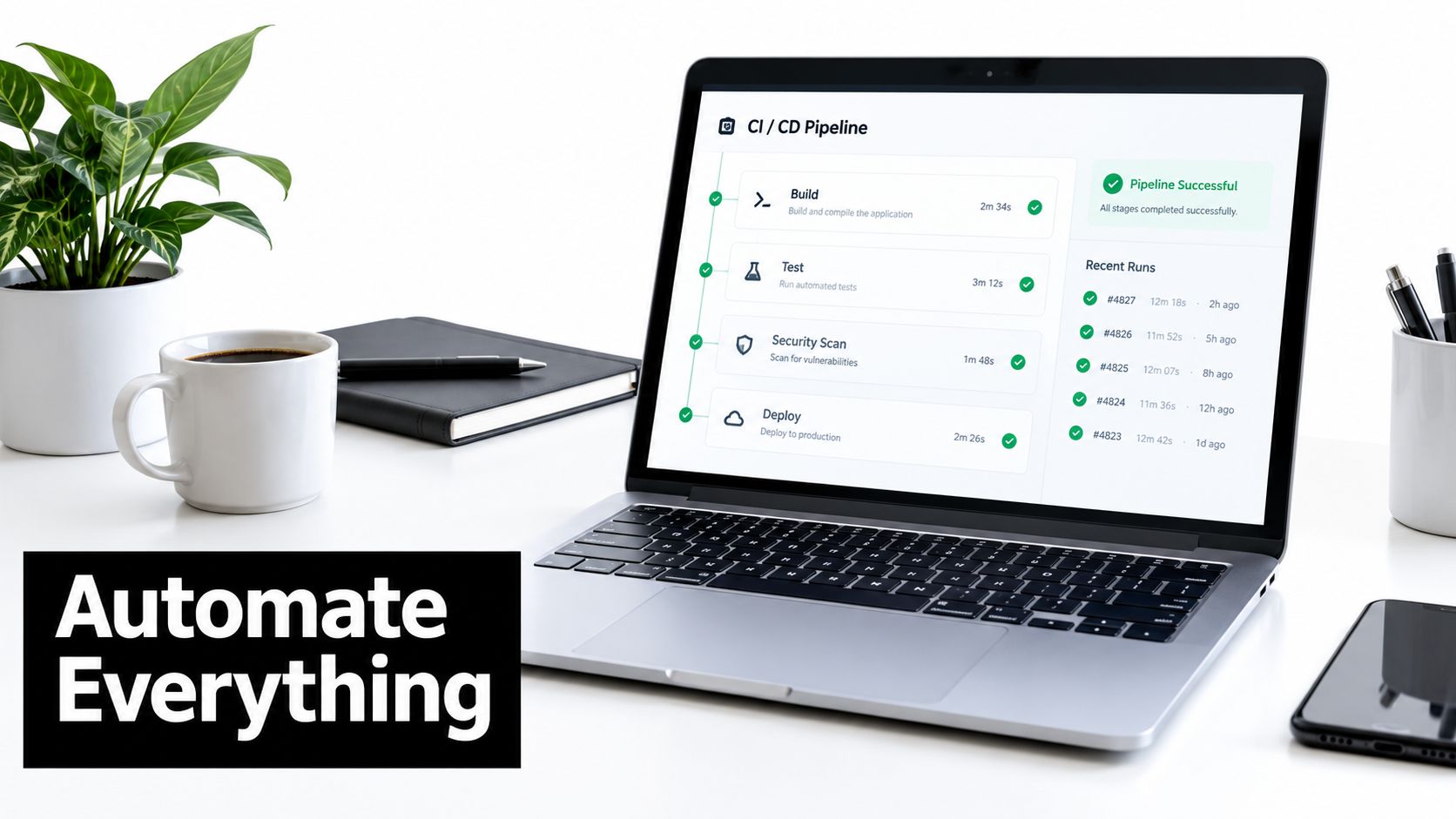
Manual review reveals failure modes, but it cannot keep pace with a changing AI application. Automation should execute the workflow users run, capture each action and result, apply the right graders, and route unclear failures to a human reviewer.
Build the evaluation harness
A practical harness has four working parts. The task runner loads versioned cases and creates a clean environment for every trial. The trace collector records prompts, responses, retrieved context, tool calls, errors, latency, token usage, and final state. The grader layer applies code assertions, state checks, schema validation, model judges, and selected human-review queues. The results store keeps scores, failures, metadata, and links to complete traces so engineers can compare runs over time.
Keep prompts, test data, grader instructions, and application code in version control. Store their exact versions with every result. Without that record, a failure may be impossible to reproduce after the model, prompt, search index, or tool schema changes.
Run agent evaluations through the actual loop. Grading a manually pasted final answer misses failures in retrieval, tool selection, retries, and state changes. The guidance on evaluating AI agents separates tasks, trials, graders, traces, outcomes, and harnesses because each produces different evidence about system behavior.
Make failures actionable
A useful dashboard answers more than “did the run pass?” It should show the first failing step, failure category, affected task, prompt and model versions, tool arguments, retrieved evidence, and whether the final state changed. Group related failures so engineers can fix a root cause rather than repeatedly treating symptoms.
Short traces can hide workflow failures. Run repeated trials where consistency matters, and classify infrastructure errors separately from model errors. Log every retry and report the complete attempt history. Reporting only a successful retry makes reliability look better than it is.
Use an exploratory review process that defines the behavior under test, expected outcomes, edge cases, and a failure explanation that the person fixing the issue can act on. The Interview Pilot test design questions provide a useful reference for that discipline.
For prompt variants, assertions, test cases, and result comparisons, follow prompt testing framework guidance. The practical goal is a shorter path from a failed trace to a targeted change.
Real-World Testing in Production Workflows
A production workflow often looks different from the test case that approved it. A researcher may ask for a report, but the system must search several sources, decide which evidence is relevant, preserve citations, resolve contradictions, and produce a deliverable in the required format. A coding agent may return plausible code, while the actual requirement is to modify the right files, run the tests, preserve existing behavior, and leave the repository in a valid state.
The solution is trajectory-based evaluation. Capture the full action trace, including model calls, retrieved material, tool selection, parameters, intermediate errors, retries, human approvals, and final state. Then grade both the process and the outcome. A polished final answer shouldn't pass if the system changed the wrong record or claimed that a failed action succeeded.
Test the workflow as a state machine
Map the critical transitions in the process:
- User request to intent and route
- Route to retrieval or tool selection
- Tool selection to valid parameters
- Tool result to next decision
- Decision to external action
- External action to verified final state
- Final state to user-facing explanation or handoff
For each transition, create normal, ambiguous, and failure cases. Test recovery paths explicitly. If a tool returns no result, the correct behavior may be to ask for clarification. If retrieval finds conflicting policies, the system may need to escalate rather than choose the more convenient answer.
Recent evaluation guidance argues that traditional benchmarks miss team performance, long-term effects, and downstream system behavior. A discussion of alternatives to static AI benchmarks describes the shift toward tests that evaluate deliverables and full action traces in real environments.
Close the production feedback loop
Production monitoring reveals failures that your synthetic suite didn't anticipate. Sample traces across normal usage, user corrections, retries, high-latency sessions, tool errors, escalations, and abandoned tasks. Review the first upstream failure, not only the final bad answer, then turn important discoveries into durable regression cases.
Keep the evaluation suite alive. Retire tests that no longer represent the product, add cases for new tools and policies, and periodically challenge saturated benchmarks with harder tasks. The question isn't just whether the model can answer. It's whether the complete system behaves safely, consistently, and usefully under the constraints your team really operates.
Prompt Builder gives teams a workspace to generate, refine, run, compare, and save prompt versions across AI models, which fits naturally into an evaluation workflow built around repeatable tests and trace review. Visit Prompt Builder to test prompt variations in a chat-style workspace and organize the versions that perform reliably in your real tasks.
Related Posts
Checking Test Examples: A Practical Guide to Validating Them
September 23, 2026
How to Test AI Prompts: A Practical Workflow for 2026
August 26, 2026