
SEO on Page Checklist: 10 Essential Items for 2026
A practical SEO on-page checklist should cover 10 ordered checks, from page targeting and metadata through content, links, media, and structured data, with a verification step for every check. The aim isn't to add keywords everywhere. It's to make each page understandable, useful, crawlable, and ready to evaluate before and after publication.
The surprising part is how much optimization remains unfinished. A 2026 audit of 10,000 sites found an average on-page SEO score of 58%, leaving roughly 42% of common opportunities unresolved across the sample (audit findings on checklist adoption). That doesn't mean every missed item will produce a dramatic ranking change. It does show why a repeatable audit beats a loose collection of best practices.
On-page SEO is the work performed on a page itself, including its visible content, HTML elements, links, media, and structured data. Google's current guidance emphasizes helpful people-first content, searchable words in prominent locations, crawlable links, and supporting assets that follow their own best practices (Google's current on-page SEO framework).
This workflow suits content marketers, SEO specialists, editors, developers, ecommerce teams, and site owners publishing or updating important pages. For each check, implement the change, inspect the result in context, and verify it with a specific tool or test. Prompt Builder can help draft SEO briefs and content prompts, but the published page still needs a human review and technical validation. For a broader starting point, compare this workflow with an SEO audit guide for Shopify.
Table of Contents
- 1. Primary Keyword Optimization in Title Tags
- 2. Meta Description Optimization
- 3. H1 Tag Structure and Keyword Placement
- 4. URL Structure and Keyword Inclusion
- 5. Header Tag Hierarchy
- 6. Keyword Density and Natural Keyword Integration
- 7. Internal Linking Strategy and Anchor Text Optimization
- 8. Content Length and Depth for Search Intent
- 9. Image Optimization and Alt Text
- 10. Schema Markup and Structured Data Implementation
- 10-Point On-Page SEO Checklist Comparison
- Run the Checklist Before You Publish
1. Primary Keyword Optimization in Title Tags
A title tag should identify the page's subject quickly for both searchers and search systems. Put the primary query close to the beginning when it fits naturally, then add a useful differentiator such as the audience, format, benefit, or year.
For a page targeting this topic, a strong option could be “SEO On-Page Checklist: 10 Essential Items for 2026.” It signals the subject, promises a defined format, and sets a clear freshness expectation. A product page might use “AI Prompt Generator for ChatGPT, Claude and Gemini” if those models genuinely matter to the page.
Don't treat the title as a container for every related phrase. A title such as “SEO On-Page SEO Optimization Checklist Guide Best Tips” looks engineered and gives the reader no compelling reason to choose it.
Implement and inspect the title
Before publishing, write one unique title for the page and compare it with the visible H1. They can be similar, but they don't need to be identical. The title should earn the click while the H1 should orient the reader once they arrive.
- Lead with the topic: Use the primary query or a close, natural variation near the beginning.
- Add a reason to click: Specify the format, audience, problem, or outcome the page delivers.
- Remove repetition: Delete redundant modifiers and brand language that obscures the subject.
- Review the SERP preview: Check whether the title is likely to be truncated or weakened on the results page.
Use Google Search Console after publication to compare impressions and clicks for the page. Treat click-through rate as a diagnostic, not as proof that a title alone caused a change. If the title earns impressions but few clicks, test a clearer promise, stronger specificity, or closer alignment with the query.
For pages that need a structured brief before drafting, the SEO content brief generator can help organize the target query, audience, and page requirements.

2. Meta Description Optimization
A meta description should summarize the page accurately and give the searcher a reason to continue. Google may use the supplied description, rewrite it, or select text from the page, so write for clarity rather than assuming the HTML copy will always appear unchanged.
For this article, a useful description could be: “Use this SEO on-page checklist to audit titles, content, links, images, Core Web Vitals, and structured data before publishing.” It states what the reader will find and avoids promising a guaranteed ranking outcome.
Write for the searcher, then verify the snippet
Place the main topic naturally near the beginning when possible. Follow it with a concrete benefit or action, such as auditing a page, fixing publishing errors, or validating structured data. Active language generally makes the description easier to scan, but don't add a call to action that the page doesn't support.
A SaaS landing page might say, “Create and refine prompts for ChatGPT, Claude, and Gemini in one workspace.” That works only if the page explains or provides that workflow. A description that mentions features absent from the page can increase initial curiosity while damaging trust after the click.
Practical rule: Write the description as an accurate sales line for the page, not as a second title stuffed with keywords.
Inspect the rendered HTML to confirm the page has one intended meta description and that templates aren't inserting duplicate text. Then search the page's target query and review the actual result when the page is indexed. Search Console can show whether the page receives impressions and clicks, but it won't provide a clean A/B testing system for meta descriptions. Change one meaningful variable at a time and record the date, query context, and outcome.
3. H1 Tag Structure and Keyword Placement
The H1 is the page's primary visible heading. It should state the central topic in language that matches the reader's expectation, rather than repeating every phrase from the keyword map.
A page titled “SEO On-Page Checklist: 10 Essential Items for 2026” could use the H1 “Complete SEO On-Page Checklist for Publishing and Auditing.” The title supports search-result appeal. The H1 explains the practical angle on the page.
Keep the heading hierarchy meaningful
Use one clear H1 in the main content area, then place the supporting sections beneath it. Multiple H1 elements aren't automatically disastrous in every technical implementation, but they often signal weak templates or unclear content structure. Fix the underlying hierarchy instead of relying on assumptions about how a crawler might interpret it.
- Match intent: The H1 should answer what the page is about before the reader scrolls.
- Use a natural variation: A close phrase is fine when it improves readability.
- Avoid false scope: Don't promise a complete guide if the page only covers a narrow task.
- Check placement: Keep the H1 prominent and close to the beginning of the main content.
Inspect the DOM, not just the visual page. Browser extensions and crawling tools can reveal whether the H1 exists, whether it appears inside the main content, and whether a component has accidentally created several competing headings. Check mobile rendering too, because a responsive template may hide or reorder content differently from desktop.
A travel page titled “Family Hotels in Lisbon” shouldn't use the H1 “Best European Accommodation Deals” merely because that phrase has broader appeal. The mismatch weakens relevance and creates a poor experience after the click.
4. URL Structure and Keyword Inclusion
A URL should tell users and crawlers what the page contains without exposing internal database logic. Use lowercase words, hyphens, and a concise slug that reflects the page's stable subject.
For this article, /seo-on-page-checklist/ is clearer than /article-123/. A service page might use /technical-seo-audit/, while a resource targeting a specific audience could use /seo-prompts-for-marketers/. The best slug is descriptive enough to confirm relevance and stable enough to survive future edits.
Choose a slug that won't need constant repair
Don't append every possible keyword to the URL. A slug such as /complete-best-seo-on-page-optimization-checklist-guide/ is harder to share and creates a maintenance problem if the page's scope changes.
- Use meaningful words: Remove dates, tracking parameters, and internal labels unless functionality requires them.
- Separate words with hyphens: This improves readability and consistency.
- Keep the subject stable: Avoid putting a temporary campaign claim in an evergreen URL.
- Match site architecture: The folder path should fit the site's existing content model.
Verify the canonical URL, redirects, sitemap entry, and internal links after publication. If you change an established URL, map the old address to the new one with a relevant redirect and update important links. Don't change URLs to insert a minor keyword variation. The migration risk can outweigh a small wording preference.
A developer should also inspect how the CMS handles trailing slashes, uppercase requests, parameters, and duplicate paths. Test the final URL in an incognito browser, crawler, and Search Console URL Inspection tool. Confirm that the published address resolves directly, returns the intended status, and presents the same core content to users and search systems.
5. Header Tag Hierarchy
Headings turn a long page into a navigable argument. Use the H1 for the page topic, H2s for major sections, and H3s for supporting questions or tasks. H4s can be useful in nested content, but adding deeper levels only for visual styling makes the document harder to maintain.
A useful structure for an SEO guide might be:
- H1: Complete SEO On-Page Checklist for Publishing and Auditing
- H2: Primary Keyword Optimization in Title Tags
- H3: Implement and inspect the title
- H2: Meta Description Optimization
- H3: Write for the searcher, then verify the snippet
Write headings that carry information
“Getting Started” tells the reader almost nothing. “How to Validate Internal Links Before Publishing” gives the reader a clear destination and helps the following text stay focused.
Don't force a keyword into every heading. Headings should describe the subject of the section, not advertise a keyword list. A heading that repeats “SEO checklist” across every level feels mechanical and makes the page less pleasant to scan.
Inspect the heading outline in a browser extension, accessibility checker, or crawl report. Read only the headings in sequence. If the page still communicates a coherent argument, the hierarchy is doing its job. If it reads like disconnected labels, revise the structure before polishing individual paragraphs.
Also check the rendered page, because visual styling can mislead editors into using heading elements as font-size controls. Use CSS for appearance and semantic HTML for meaning. This distinction matters for screen-reader navigation as well as for automated systems extracting page sections.
6. Keyword Density and Natural Keyword Integration
Keyword density isn't a publishing target. A page can repeat its main phrase frequently and still fail because it doesn't answer the underlying question, while another page can use varied language and communicate relevance clearly.
Start with the query's meaning. For SEO on-page checklist, readers may need help with titles, headings, content usefulness, links, images, page experience, and structured data. Use those concepts where they explain the task. Don't insert “SEO on-page checklist” into sentences where “this audit” or “the publishing review” sounds more natural.
Build a useful vocabulary, not a repetition quota
A page about running shoes might naturally include fit, cushioning, surface, sizing, and use case. A page about structured data might need terms such as JSON-LD, eligibility, validation, and content parity. These words add context because they describe real parts of the subject, not because they satisfy a density formula.
- Map one main intent: Give each page a primary job instead of making one URL target unrelated audiences.
- Use close variations: Let the wording follow normal English and the reader's questions.
- Place terms where useful: Include relevant language in the title, H1, headings, body copy, links, and image descriptions when accurate.
- Delete forced mentions: Read the page aloud and remove repetitions that add no meaning.
Verify by reviewing the page without the keyword tool open. Can a reader identify the topic from the title, opening, headings, and examples? Then use Search Console query data to find the language that already brings impressions. Update the page when those queries reveal a genuine information gap, not merely because a tool reports a missing phrase.
Search engines need clear meaning, not a mechanically repeated string.
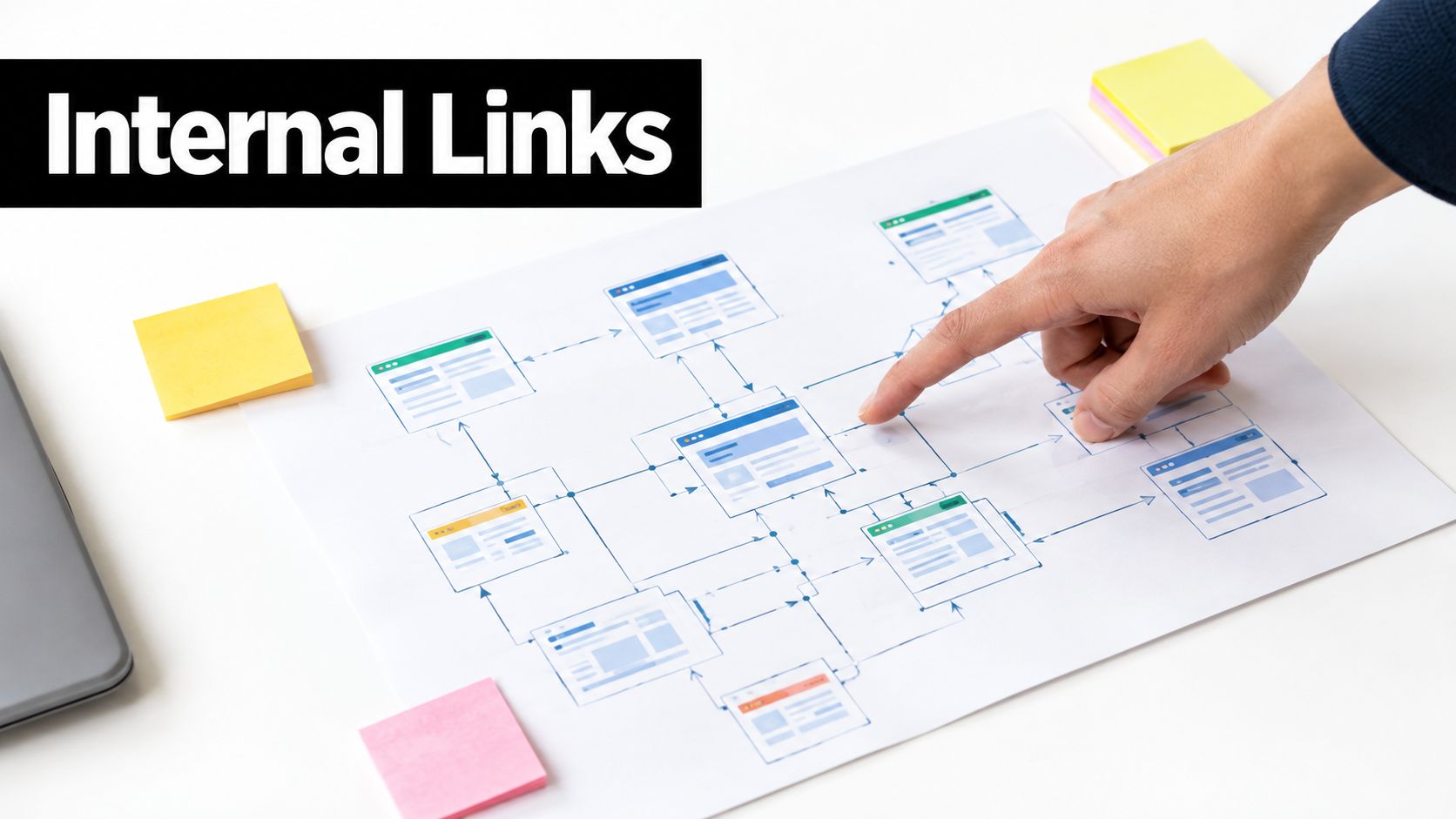
7. Internal Linking Strategy and Anchor Text Optimization
A useful internal link answers the reader's next question while clarifying how related pages fit together. Add links during drafting, then audit them after publication. The destination should expand the surrounding point, not merely provide another place to send traffic.
For a guide covering title tags, a later mention of content briefs can link SEO content brief to a relevant planning resource. The anchor identifies the destination and sets an accurate expectation. A product page unrelated to planning weakens that relationship, while “click here” conceals the subject.
Build links around tasks and relationships
Start with the pages that matter to the site's users, especially important new or updated resources. Add a link when a concept is introduced, a process relies on another guide, or a likely follow-up question has its own answer.
- Name the destination: Use anchor text that describes what the reader will find.
- Vary wording naturally: Reuse a phrase when it remains accurate, but do not force one exact anchor across every page.
- Check the target: Confirm that the URL loads, remains relevant, and matches the promise of the link.
- Limit clutter: Too many links interrupt reading and make each recommendation less clear.
A software documentation page might link API authentication guide to setup instructions and troubleshooting webhook failures to a diagnostic article. Those anchors explain the next step better than repeatedly linking “documentation.” They also make the site's topical and task-based relationships easier to follow.
Before publishing, inspect links in the rendered page, including mobile view. After publication, crawl for broken destinations, redirect chains, orphaned pages, and outdated versions. Recheck incoming and outgoing links after major edits. A practical audit asks two questions: does the link work, and does it still help at that point in the journey?
8. Content Length and Depth for Search Intent
Search intent sets the content requirement, not a target word count. Publish enough detail for readers to complete the task, then audit the page against the query it serves.
For a checklist query, build each item around four practical elements: the change to make, the reason it matters, a realistic example, and a verification step. A label such as “optimize headings” may satisfy an editorial plan, but it does not show a reader how to apply or check the recommendation.
Build, publish, audit
Before drafting, review the pages and formats already addressing the query. Note unanswered questions, missing examples, weak decision rules, and claims that lack support. Use those gaps to set the scope. Do not copy a competitor's length or add sections solely to appear more thorough.
A comparison page may need compatibility details and selection criteria. A definition may work with a concise explanation. A migration guide may require sequencing, risks, rollback instructions, and validation checks. The task determines the depth.
A practical SEO content brief example can organize intent, audience, required sections, and evidence needs before writing. During editing, remove generic passages and retain details the business can support.
Use this publish-and-audit check:
- Implementation: Can the reader identify the exact action?
- Example: Does the page show how the advice applies in a realistic case?
- Verification: Is there a test, inspection, or observable result?
- Intent coverage: Does the page answer the reason behind the search?
- Distinct value: Does it add useful guidance rather than rearranging familiar points?
- Maintenance: Can the team revise it when the underlying guidance changes?
Review the draft once for omissions and again after publication in the rendered page. Search for unanswered subtopics, unsupported assertions, and sections that repeat one another. A shorter page with precise instructions may serve the query better than a longer page padded with general commentary.
9. Image Optimization and Alt Text

An image earns its place when it explains, demonstrates, or supports the page. Before publishing, remove files that add loading cost without helping readers understand the topic.
Start with the asset itself. Name a file seo-on-page-checklist-template.png, compress it without damaging useful detail, and choose a format suited to the image and browser support. For a diagram connecting a pillar page with supporting articles, use descriptive alt text such as “Site architecture diagram connecting a pillar SEO guide with supporting topic pages.” Avoid keyword strings such as “SEO SEO checklist optimization rankings”, which describe neither the image nor its purpose.
Use this quick publish check:
- Implementation: Write lowercase, hyphenated filenames, specific alt text, and empty alt text for decorative dividers.
- Example: For a screenshot, describe the interface and the action a reader should notice.
- Caution: Alt text should explain relevant content, not list every visible detail or repeat the target keyword.
- Verification: Inspect the rendered HTML and confirm the
altattribute matches the image. - Performance: Lazy-load below-the-fold media, while keeping the primary content and meaningful visuals available promptly.
- Mobile check: Confirm dimensions, cropping, and layout on a narrow screen.
Captions can preserve an explanation readers need to remember, but instructions should remain in HTML rather than inside an image. Verify the file request, rendered dimensions, loading behavior, and mobile appearance. PageSpeed Insights can show whether media contributes to performance issues. For implementation details, consult this responsive images and lazy loading.
10. Schema Markup and Structured Data Implementation
Schema markup gives search systems machine-readable context about a page. Use it to describe the content that users can see, such as an article, breadcrumb trail, product, organization, recipe, or supported FAQ. It cannot make inaccurate information trustworthy or turn an ineligible page into a rich result.
Start with the visible page, then select the matching type. Article markup can identify the headline, author, image, and publication details. BreadcrumbList can clarify the page's position in the site hierarchy. FAQ or HowTo markup should describe information present on the page and meet the relevant feature requirements.
Publish, validate, and audit the markup
A recipe page is a useful test case. Add Recipe markup only when the page contains the recipe information and the structured values match it. A marketing article that merely mentions a process should not receive HowTo markup. Extra JSON-LD also adds maintenance work, so broader coverage is not automatically better.
Use this publish-and-audit workflow:
- Implementation: Choose the schema type that matches the page, then keep names, dates, authors, steps, answers, and images consistent with visible content.
- Example: A recipe page can describe its ingredients, instructions, preparation details, and image when those elements appear in the rendered content.
- Caution: Do not add FAQ or HowTo markup to pursue a search feature the page does not qualify for. Avoid copying values from another template.
- Verification: Test the production URL with Google's Rich Results Test, inspect the rendered HTML, and compare each structured value with the page.
- Parity check: Review the page on mobile and desktop, including client-side content and any server-rendered version.
- Maintenance: Recheck Search Console reports after template, content, or URL changes.
Compare tool options in this overview of the best AI tools for SEO before choosing markup helpers. For implementation principles, review this structured data strategy from SemDash.
Rendering and performance still matter. A developer can place JSON-LD inside a component while the visible content, mobile layout, or deployed HTML differs. Use Google's Rich Results Test and inspect the live source after release, not only a development preview. Schema supports discoverability when it accurately represents the page and follows supported result requirements.
10-Point On-Page SEO Checklist Comparison
| Item | Implementation Complexity 🔄 | Resource Requirements ⚡ | Expected Outcomes 📊⭐ | Ideal Use Cases 💡 | Key Advantages ⭐ |
|---|---|---|---|---|---|
| Primary Keyword Optimization in Title Tags | Low 🔄, simple HTML/title edits | Low ⚡, content editor + GSC for testing | High 📊, ranking signal + CTR lift (~5–15%) | Quick optimization for pages needing visibility boosts | Direct ranking impact; fast, measurable wins |
| Meta Description Optimization | Low 🔄, copy changes per page | Low ⚡, writer + A/B via Search Console | Medium 📊, CTR improvement (~2–8%) | Improve CTR for SERP listings and targeted snippets | Highlights value prop; low risk to implement |
| H1 Tag Structure and Keyword Placement | Low 🔄, single semantic change | Low ⚡, content editing and templates | High 📊, strong topical signal; better UX | Pages requiring clear topic signaling (guides, pillars) | Clarifies intent; supports rankings and UX |
| URL Structure and Keyword Inclusion | Medium 🔄, planning + possible redirects | Medium ⚡, dev time for redirects & architecture | Medium 📊, crawlability & relevance gains | New sites or restructures; high-traffic landing pages | Cleaner URLs improve UX, sharing and indexing |
| Header Tag Hierarchy (H2, H3, H4) | Low–Medium 🔄, editorial planning | Low–Medium ⚡, content authoring effort | Medium-High 📊, better scannability; featured snippet support | Long-form guides, articles needing structure | Improves readability, accessibility, and snippet chances |
| Keyword Density & Natural Integration | Medium 🔄, research + editorial finesse | Medium ⚡, SEO tools + writer time | Medium 📊, topical relevance without penalties | Content aiming for topical authority and variations | Balances relevance and readability; mitigates stuffing risk |
| Internal Linking & Anchor Text Optimization | Medium 🔄, strategy + ongoing audits | Medium ⚡, content/editorial coordination | Medium-High 📊, authority distribution; session metric gains | Content clusters, pillar → cluster strategies | Boosts discovery, authority flow, and user navigation |
| Content Length & Depth for Search Intent | High 🔄, research-heavy creation | High ⚡, writers, editors, data/case studies | Medium-High 📊, stronger rankings for competitive queries | Ultimate guides, comprehensive checklists | Establishes authority and earns backlinks |
| Image Optimization & Alt Text | Medium 🔄, file prep + alt writing | Medium ⚡, designers + optimization tools | Medium 📊, page speed, accessibility, image traffic | Visual-heavy pages, tutorials, product pages | Improves load times, accessibility, and image SEO |
| Schema Markup & Structured Data Implementation | Medium-High 🔄, technical markup & testing | Medium-High ⚡, dev time + validation tools | Medium 📊, rich results eligibility; CTR lift (≈10–30%) | HowTo/FAQ/Article pages seeking SERP enhancements | Enables rich snippets and enhances SERP presence |
Run the Checklist Before You Publish
A publish-and-audit workflow is more reliable than editing whichever field happens to be easiest. Start by confirming the target query, audience, and search intent. If the page doesn't have a clear purpose, title tags and keyword placement won't solve the underlying problem.
Then inspect the page in order:
- Targeting: Confirm one primary topic and the reader's expected outcome.
- Metadata: Review the title tag and meta description for clarity, accuracy, and distinctiveness.
- Structure: Check the H1, heading hierarchy, URL, and visible page organization.
- Language: Remove forced keyword repetitions and add relevant concepts where they help the reader.
- Content: Confirm the page answers the query fully, with examples and practical next steps.
- Links: Test internal destinations, descriptive anchors, redirects, and broken links.
- Media: Check file sizes, filenames, dimensions, loading behavior, captions, and alt text.
- Experience: Test mobile rendering and measure Core Web Vitals on important templates.
- Structured data: Validate the markup against the visible content and the intended result type.
- Recordkeeping: Log the issue, page, owner, priority, implementation date, and verification result.
Core Web Vitals work best as a release gate rather than a vague speed reminder. Google's field-data “Good” thresholds require the 75th percentile to meet LCP at or below 2.5 seconds, CLS at or below 0.1, and INP at or below 200 milliseconds, on mobile and then desktop (Core Web Vitals thresholds and monitoring guidance). A page that misses one threshold needs a defined fix or an explicit decision to accept the risk.
Prioritize fixes by reader impact, business importance, impressions, and implementation effort. A broken primary template deserves attention before a low-traffic article's minor heading variation. For failing URLs, current practitioner guidance recommends starting with high-impression mobile pages, testing again after deployment, and allowing field data time to refresh before judging the result (ongoing Core Web Vitals workflow guidance).
Run the audit again after a substantial content, template, CMS, JavaScript, or design update. Third-party scripts, font loading, pop-ups, and ad slots can introduce regressions even when the copy hasn't changed. Keep the checklist in the publishing process, not in a forgotten spreadsheet.
Tools can make the process more consistent, but they can't decide whether a claim is accurate, an example is useful, or a page satisfies intent. Prompt Builder can support repeatable SEO briefs and content workflows, while final verification should happen on the published URL in the browser, source code, crawler, and relevant Google tools.
Prompt Builder helps you generate, refine, test, and organize model-tuned prompts for SEO briefs, content planning, internal linking, and related marketing work across tools such as ChatGPT, Claude, and Gemini. Visit Prompt Builder to create a consistent prompt workflow, iterate on drafts, and keep reusable SEO instructions in one searchable library.
Related Posts
10 SEO Content Ideas to Build a Stronger Strategy
September 22, 2026
10 Best Meta Description Generator Tools in 2026
August 22, 2026