
Generative AI Prompts: How to Write and Optimize Them
You can give an AI tool a detailed instruction and still get a mediocre answer. The surprising part is that the main failure often isn't the model's capability. It's the absence of a process for defining the task, testing the result, and improving the prompt after the first attempt.
That distinction matters because prompting has become ordinary work. A 2025 scoping review found that about one-third of U.S. adults had used an AI chatbot, while nearly 44% of internet users in Germany had tried generative AI tools. A six-country survey cited in the same review found that 61% of respondents used generative AI in 2025, compared with 40% in 2024. Information seeking, text editing, and brainstorming were among the most common motivations, making prompts relevant to research, writing, analysis, and day-to-day communication. (2025 scoping review)
The practical advantage doesn't come from discovering magic words. It comes from treating generative AI prompts as working assets that you can structure, compare, revise, and reuse.
Table of Contents
- Why Generative AI Prompts Are the New Interface for Work
- The Four-Part Prompt Structure That Actually Works
- How Prompting Techniques Affect Results Across Models
- Model-Specific Prompt Patterns and When to Adapt
- Testing and Iterating Prompts Like a Professional Workflow
- Prompt Lifecycle Management as the Real Competitive Edge
Why Generative AI Prompts Are the New Interface for Work
Pasting “write a professional product description for this software” into a chatbot often produces polished copy that still needs several follow-up messages. The model did not necessarily fail. The instruction left the audience, permitted claims, source material, and format open.
Prompt-based work was already routine before 2025. A separate U.S. labor survey reported that 39.4% of adults used generative AI at work or at home in August 2024, 32% had used it in the prior week, and 6.4% used it every day, according to the U.S. labor survey data in the scoping review. These figures describe adoption beyond specialist teams. People were already using generative AI for ordinary writing, research, analysis, and communication.
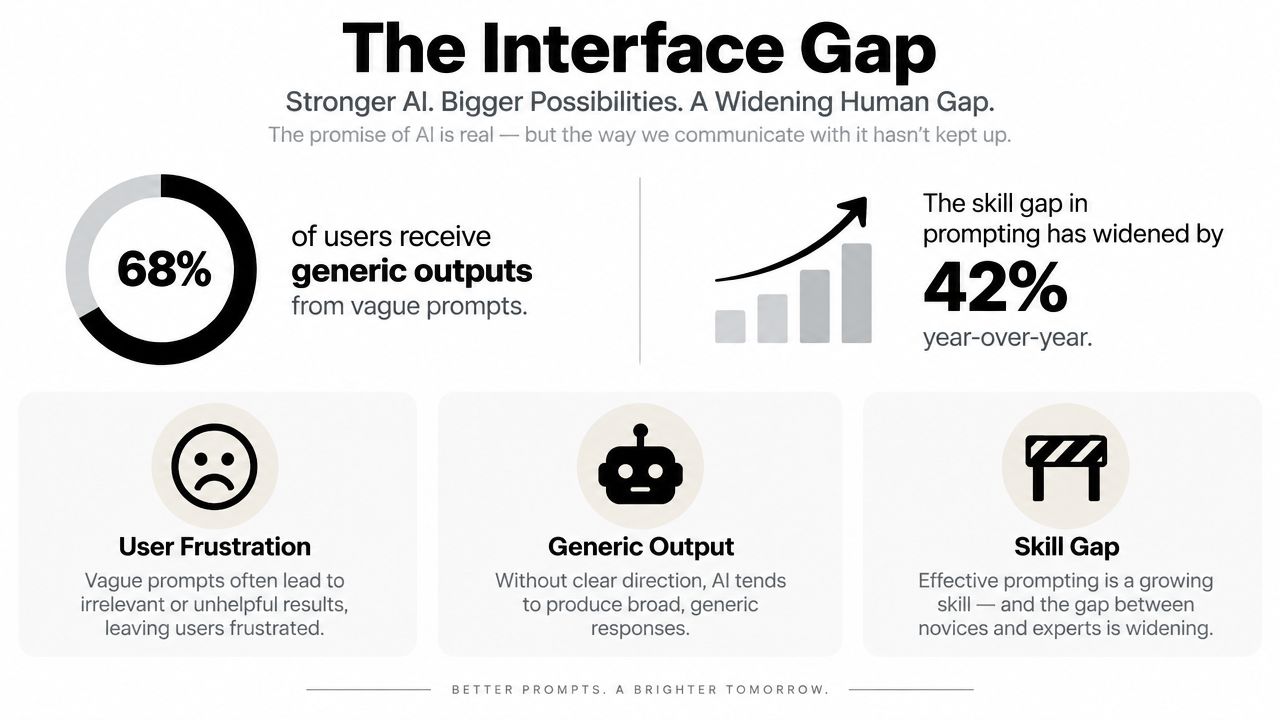
Why vague instructions produce generic work
A model fills unspecified variables with probable patterns. If the prompt names only a topic, it must guess the audience, purpose, evidence, tone, boundaries, and meaning of success. The result can read fluently while missing the requirements that determine whether it is usable.
A prompt works as an interface between human intent and model behavior. Strong prompts expose the decisions that matter:
- Audience: Who will read or use the output?
- Task: What must the model produce?
- Evidence: Which information may it use?
- Boundaries: What should it avoid, qualify, or flag?
- Format: How should the result be delivered?
These decisions apply to SQL requests, support replies, document summaries, and marketing copy. They also make iteration possible. Save the prompt, record the model and inputs, inspect the output against the same quality criteria, then revise the instruction rather than improvising a new request each time. That repeatable loop is more valuable than searching for a single perfect phrase.
Resources such as Voice Control Pro email prompts can help convert informal voice or email requests into clearer prompt patterns, particularly when the task begins as a rough thought instead of a written specification.
Practical rule: If the output is generic, add missing decisions before adding more adjectives.
Generative AI prompts become dependable work tools when teams structure them, compare versions, and improve them after real outputs reveal gaps. The first generation is a test result, not a finished workflow. Clear expectations make that result easier to judge and the next iteration easier to control.
The Four-Part Prompt Structure That Actually Works
A dependable prompt doesn't need to be long. It needs to make four decisions visible: goal, context, output format, and quality bar. This structure works as a starting point across GPT, Claude, Gemini, and open-source models because it describes the job independently of any one interface.
Start with the goal
Write one sentence that states the exact outcome.
Weak: “Help with a landing page.”
Stronger: “Draft a landing page section that explains an SEO audit service to marketing managers and ends with a request for a consultation.”
The stronger version gives the model a destination. It doesn't ask for “good,” “compelling,” or “high-quality” copy without explaining what those words mean in practice.
Add context that changes the answer
Context should answer the questions the model would otherwise guess:
- Who is the audience?
- What source material is available?
- What does the audience already know?
- Which tone is appropriate?
- What legal, brand, or factual limits apply?
- What should happen when information is missing?
For example, tell the model to use only supplied product facts, flag unsupported claims, write for experienced marketing managers, and avoid guarantees. This is more useful than just requesting a “professional” tone. Explicit rules also align with the contract-like prompt guidance found in model documentation, including Anthropic's Claude documentation.
Define the output format
Format beats adjectives. A model can interpret “clear” or “engaging” in several ways, but it can follow “return five bullets, each with a bold lead-in and one supporting sentence” much more consistently.
Specify headings, bullet counts, fields, table columns, JSON structure, length range, or required sections. If another system will parse the response, show the exact field names and tell the model not to add commentary outside the requested structure.
Set the quality bar
The quality bar defines what must be present and what makes an answer unusable. Include required evidence, exclusions, review checks, and an escalation rule for uncertainty.
Use this base template:
Goal: Produce [specific outcome].
Context: The audience is [audience]. Use [available inputs]. Follow [tone, brand, legal, or factual constraints].
Output format: Return [structure, fields, length, and formatting rules].
Quality bar: Include [required elements]. Avoid [failure modes]. If information is missing or uncertain, [flag it, ask for it, or state the limitation].
Save the template with your own examples and adapt it to the task. For a deeper look at how circumstances shape prompt performance, see prompt and circumstance. Teams can then connect the prompt to testing workflows for prompt engineers, where evaluation becomes part of the workflow rather than an afterthought.
How Prompting Techniques Affect Results Across Models
Prompting techniques change how a model resolves ambiguity, uses examples, and honors constraints. The differences appear in reasoning quality, output consistency, and the amount of correction required after generation. Managing those techniques across a prompt's lifecycle often matters more than polishing one prompt once.
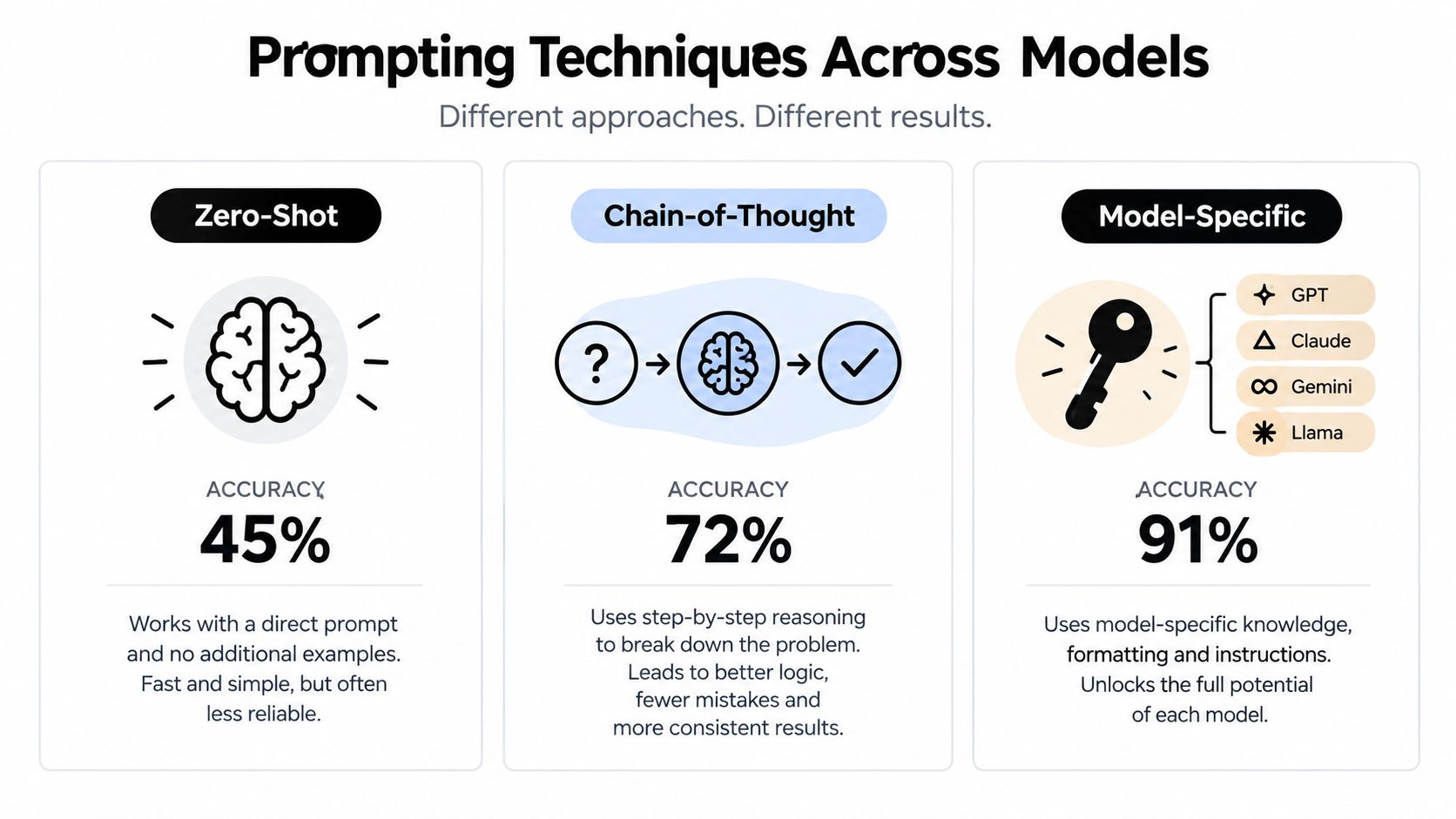
Zero-shot prompting provides the baseline: state the task without an example. A benchmark comparing zero-shot, few-shot, chain-of-thought, role-based, and structured approaches found zero-shot consistently weakest, while chain-of-thought and structured prompts produced the largest gains in reasoning and consistency. (Prompting techniques benchmark)
Zero-shot still fits quick brainstorming, low-risk transformations, and tasks with an obvious output. It becomes unreliable in production when reviewers expect predictable fields, repeatable decisions, or consistent treatment of edge cases. Record where it fails, then test a stronger technique against the same evaluation set.
Match the technique to the failure
Few-shot prompting supplies examples of the required behavior. It suits a recognizable house style, classification pattern, or structure that is difficult to describe precisely. Examples consume context and require maintenance. A flawed example can teach the wrong behavior more effectively than a short instruction.
Role-based prompting gives the model a perspective, such as “act as a technical editor.” It can focus attention, yet the role does not provide missing source material or acceptance criteria. “You are an expert” cannot resolve absent facts.
Chain-of-thought prompting asks the model to work through a problem in stages. It can support complex reasoning, while operational workflows are easier to evaluate when they define decisions, checks, and a final format. Use visible intermediate fields or concise reasoning summaries when reviewers need an audit trail.
Security work shows the value of explicit constraints. A 2025 benchmark found that a security-focused prompt prefix reduced vulnerabilities by up to 56% on GPT-4o and GPT-4o-mini. The study also found that iterative prompting helped models detect and repair 41.9% to 68.7% of previously generated code vulnerabilities. (Secure code generation benchmark)
The same pattern applies beyond code. For sales advice, require evidence and prohibit unsupported claims. For SQL, request assumptions and validation checks. For content, define the source boundary and forbidden assertions. Context also shapes sales guidance, as shown by these context-based sales demo insights from PreSales Unleashed GmbH.
Smaller and open-source models usually benefit from more explicit structure. Larger proprietary models can infer more, but examples, constraints, and measured iteration still reduce avoidable variation.
Model-Specific Prompt Patterns and When to Adapt
The same four-part prompt can perform differently across models because each model has different instruction-following behavior, context handling, tool access, and formatting preferences. A generic prompt is useful for portability, but portability and peak performance aren't always the same goal.

Claude generally responds well to contract-style instructions. Put the task, boundaries, output schema, and disallowed behaviors in a clear system-level specification. This is particularly useful for long-form analysis, document transformation, and workflows where the model must distinguish source-backed statements from interpretation.
GPT models often benefit from structured examples. Show one or more representative inputs and outputs when the task has a distinctive format, then add explicit checks for omissions, unsupported claims, or incorrect fields. Chain-of-thought-style task decomposition can help with complex work, but concise stages and a final schema are easier to evaluate than an open-ended request to “think harder.”
Gemini is often a natural choice when a workflow involves long context or connected search capabilities. Even then, specify which information should be treated as authoritative, how citations should appear, and what the model should do when sources conflict. Open-source models such as Llama and Mistral usually reward tighter constraint definitions because they may infer less from a loosely worded request.
Use adaptation as a decision, not a ritual
Adapt a prompt when the task is high-volume, high-risk, format-sensitive, or repeatedly failing in a particular model. Keep the generic structure when the task is exploratory, low consequence, or likely to move between platforms.
Iteration matters because the first draft rarely reveals every weakness. A 2025 paper reported that more than 55% of respondents revise their prompts occasionally or very often, which reflects a normal usage pattern rather than an unusual engineering practice. (2025 prompting research)
A model-tuned prompt doesn't need to become a separate, unmaintainable artifact for every platform. Keep one task specification, then record model-specific changes such as example style, instruction placement, formatting rules, and tool assumptions. Tools such as Prompt Builder can generate and refine prompts for selected models, test them in a built-in chat, optimize existing instructions, and save reusable versions in a searchable library. The important outcome is not the tool itself. It's the ability to compare adaptations against the same quality bar.
Testing and Iterating Prompts Like a Professional Workflow
A prompt is a draft until it survives representative tests. Reliable prompt work defines expected behavior, runs controlled inputs, inspects failures, and changes one meaningful variable at a time. That iteration process usually matters more than producing a clever first version.
Start with a compact evaluation set. Include routine requests, difficult edge cases, incomplete inputs, and cases designed to expose the failure you care about. For a content prompt, test a source containing conflicting claims, a request that exceeds the permitted tone, and a brief with missing audience information.
A practical testing loop
- Write the baseline: Record the current prompt, model, inputs, and output format.
- Generate comparable outputs: Keep the input set stable when testing a change.
- Score the result: Check factual support, completeness, structure, tone, safety, and usefulness.
- Diagnose the failure: Determine whether the cause is missing context, weak examples, unclear constraints, or a model limitation.
- Revise deliberately: Change the smallest section likely to address the cause.
- Retest old and new cases: A fix that helps one example but breaks another is not a dependable improvement.
The code-security benchmark cited earlier provides a practical example. Iterative prompting helped repair vulnerabilities in previously generated code, supporting a broader workflow: ask the model to inspect its earlier output against explicit criteria, then produce a corrected version. For marketing work, a second pass might check every claim against an approved brief and flag unsupported language instead of rewriting it on the side.
Don't optimize for a nicer answer. Optimize for fewer known failure modes.
Record what changed and why. A version that produces better prose but omits required disclaimers may be worse for production. A shorter prompt that preserves structure and reduces ambiguity may outperform a longer one filled with repeated instructions.
Dedicated tooling can reduce the friction of comparing variants in the same environment. Prompt Builder supports prompt generation, refinement, chat-based testing, optimization, and saved versions. A guide to prompt testing frameworks can help teams formalize evaluation criteria and decide which checks belong in a repeatable workflow.
Retain test cases, score results against the same criteria, and label which version works for each task. The strongest prompt usually emerges from controlled revisions and documented evidence, not one heroic drafting session. Prompt lifecycle management turns iteration from an occasional fix into a repeatable team practice.
Prompt Lifecycle Management as the Real Competitive Edge
Prompt wording gets most of the attention because it's visible. Lifecycle management creates more durable value because it determines whether useful work survives beyond the person who wrote it.
A 2025 industry survey found that 69% of teams used tooling for prompt management, while 31% still relied on ad hoc or manual processes. The gap points to a problem with versioning, testing, reuse, and organization, not merely a shortage of clever phrasing. (2025 State of AI Engineering survey)
Treat prompts as engineered assets
A managed prompt should have an owner, purpose, target model, input assumptions, output contract, test examples, and revision history. When a model changes or a business rule shifts, the team should know which prompts need review and which outputs demonstrate acceptable behavior.
That changes the operating model:
- Capture versions: Keep the original, revised, and production candidate instead of overwriting the only working copy.
- Record use cases: Note whether a prompt supports SEO briefs, customer replies, SQL analysis, research, or another task.
- Track quality: Save representative outputs and the criteria used to judge them.
- Control reuse: Give colleagues a dependable template with editable fields and clear constraints.
- Review regularly: Retest prompts when the model, source material, or business requirement changes.
A centralized workspace can make this practical. A searchable AI prompt library for business helps teams organize reusable instructions instead of leaving them in personal notes, chat histories, or disconnected documents.
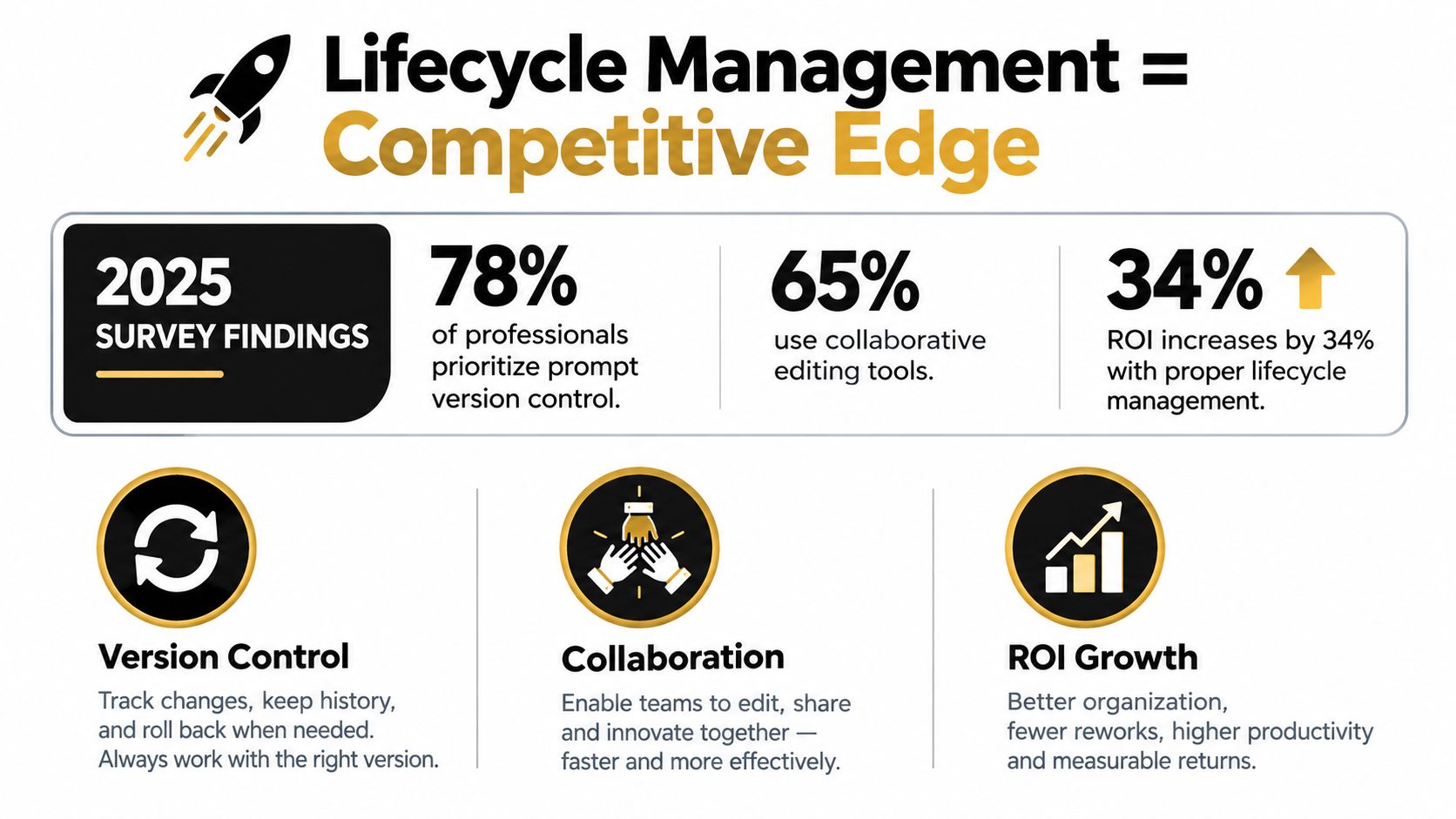
The contrarian conclusion is simple. Great prompting isn't the ability to write an impressive instruction once. It's the discipline to observe failure, preserve learning, compare versions, and make successful behavior available to other people. Generative AI prompts are engineered assets, and their value grows when teams manage them systematically.
Prompt Builder turns plain-language goals into structured, model-tuned prompts, then lets you refine, test, optimize, and save the versions that work for your tasks. Visit Prompt Builder to build a repeatable prompt workflow instead of starting from a blank chat each time.
Related Posts
Prompt Automation Explained How to Scale AI Workflows
September 16, 2026
10 Compare and Contrast Prompts That Work
September 29, 2026
Self-Consistency Prompting: A Practical Guide
August 29, 2026