
10 Brainstorming Prompts for Better AI Ideas
The strongest brainstorming prompts do more than generate ideas. They define the thinking mode, constrain the output, and create a clear path for testing and refinement, as shown by workflows that produced 373 ideas, 206 suggestion requests, 177 copied suggestions, and 283 selected best ideas.
An open request such as “give me some campaign ideas” leaves too much unsaid. The model must guess the problem, audience, quality bar, format, and definition of useful. A deliberately designed brainstorming prompt removes that ambiguity by telling the model how to think, what to vary, what to avoid, and how to present ideas for evaluation.
This distinction matters because traditional group brainstorming has a documented weakness. After decades of research, there's still little evidence that unstructured group brainstorming reliably produces more or better ideas than people working independently, which helps explain the rise of structured methods such as brainwriting, SCAMPER, and random-word prompts. The history and research summary from Leadership IQ shows why repeatable prompts are more useful than asking people or models to “be creative.”
The collection below organizes brainstorming prompts by the kind of thinking they produce. Start by clarifying the actual problem, generate breadth, apply structured variation, expose failure modes, then adapt promising prompts for different audiences, models, and future workflows. Prompt Builder can help generate model-tuned prompts, test iterations in chat, optimize existing prompts, and organize reusable versions in its Library.
Table of Contents
- 1. What If? For Divergent Thinking
- 2. The Five Whys For Root Cause Analysis
- 3. Mind Mapping For Associative Branching
- 4. SCAMPER For Systematic Modification
- 5. Constraint-Based Thinking For Focused Outputs
- 6. Persona-Based Ideation For Stakeholder Perspectives
- 7. Analogical Thinking For Cross-Domain Ideas
- 8. Forced Connections For Random Stimuli
- 9. Reverse Brainstorming For Failure Modes
- 10. Scenario Planning For Future-State Prompts
- 11. Persona-Based Ideation For Audience Fit
- 12. Analogical Thinking For Better Explanations
- 13. Forced Connections For New Applications
- 14. Reverse Brainstorming For Safer Prompt Design
- 15. Scenario Planning For Prompt Portfolios
- Comparison of 15 Brainstorming Prompts
- Turn Brainstorming Prompts Into a Reusable System
1. What If? For Divergent Thinking
“What if?” prompts loosen the assumptions that keep ideas predictable. They're useful at the beginning of an ideation session, when you want the model to explore possibilities before feasibility filters narrow the field.
Try this prompt:
Generate divergent ideas: What if a medieval merchant had to analyze modern marketing? What if customer support and creative writing were combined in one workflow? What if a reverse-psychology instruction improved the quality of a SQL prompt? Generate distinct possibilities, explain the unusual connection, and identify which ideas could be tested in practice.
The value isn't the novelty of every answer. Most hypothetical combinations will be weak, confusing, or impractical. The useful output is the small set of assumptions you wouldn't have questioned with a conventional request.
Make hypotheticals actionable
Add a second instruction that converts speculation into a test. For example, ask the model to produce a social post angle, a prototype brief, a support-response template, or a model-specific prompt for each promising idea. Social media teams can ask for unconventional campaign angles, then require a short rationale and a risk note before selecting one.
Prompt Builder's chat is useful for testing several “what if” variations without losing the original request. Save the strongest outcomes in the Library, then use the Prompt Optimizer to turn the most interesting experiment into a production-ready prompt. A constraint such as “return only ideas that can be tested with existing customer data” prevents divergence from becoming empty entertainment.
2. The Five Whys For Root Cause Analysis
Many weak brainstorming prompts solve the visible symptom instead of the underlying problem. The Five Whys method corrects that by repeatedly asking why the problem exists until the prompt includes the requirement that was missing at the surface level.
Suppose customer support replies feel generic. The chain might look like this:
- Why are replies generic? The model receives limited context.
- Why is context limited? The prompt doesn't include customer history or product state.
- Why is that missing? The team defined the task as “answer the question,” not “resolve the customer's situation.”
- Why was the task defined narrowly? No service objective was included.
- Why wasn't an objective included? The prompt was written around output wording rather than user resolution.
The improved prompt should therefore include customer history, current product context, resolution criteria, and escalation rules.
Turn diagnosis into a prompt brief
Use this structure:
Clarify the request: Ask me why this prompt is needed. Continue asking why until you identify the underlying business or user problem. Then summarize the true goal, required context, constraints, failure risks, and success criteria. Do not write the final prompt until I approve the summary.
The same method helps with inefficient SQL prompts, inconsistent brand tone, and research questions that are too broad. A practical companion is this guide to writing research questions that expose the real problem.
Save the Five Whys discussion with the prompt description. That record helps teammates understand why a constraint exists and gives the Prompt Optimizer better material when you refine the final version.
3. Mind Mapping For Associative Branching
Mind mapping works when one task contains several dimensions that deserve separate exploration. Start with a central idea, then branch into the variables that could change the prompt's behavior.
For a customer support prompt, useful branches include tone, knowledge base, escalation, language, sentiment, customer history, and channel. Each branch can create further variations. “Tone” might split into calm, concise, reassuring, and apologetic. “Escalation” might split into billing, safety, technical severity, and unresolved complaints.
Build modular prompt families
A marketing mind map could branch into:
- Audience: Existing customers, prospects, technical buyers, executives.
- Channel: LinkedIn, email, landing page, short-form video.
- Content type: Case explanation, comparison, tutorial, opinion.
- Voice: Practical, authoritative, conversational, provocative.
- Context: Competitors, seasonal demand, product maturity, search intent.
Create one modular prompt for each meaningful branch instead of forcing every possibility into a single oversized instruction. Tag the resulting versions in Prompt Builder's Library so the structure remains searchable.
Mind mapping also supports team work. One person can develop audience branches while another handles formats or constraints. A clear agenda keeps the session focused, especially when participants are working asynchronously. The brainstorming meeting agenda guide can help structure that collaboration.
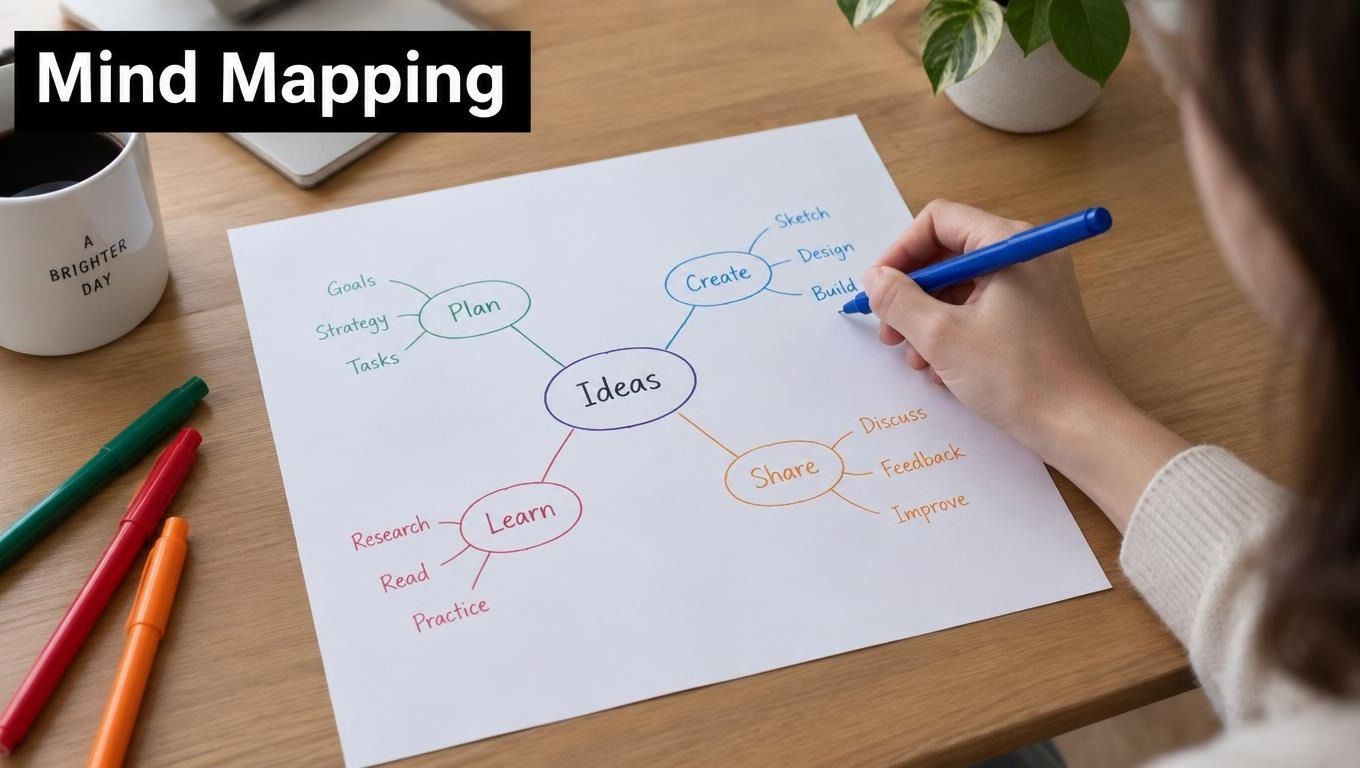
An associative map expands the search space, but it doesn't rank branches automatically. Add an evaluation step that scores relevance, effort, differentiation, and testability.
4. SCAMPER For Systematic Modification
SCAMPER is better than open ideation when you already have a working prompt and want controlled variations. The method asks you to Substitute, Combine, Adapt, Modify, Put to another use, Eliminate, and Reverse parts of the original.
Start with a base prompt:
Write a concise product announcement for a technical audience.
Then apply deliberate changes:
- Substitute: Write it as a 1950s advertising executive addressing a modern technical buyer.
- Combine: Add sentiment analysis and identify objections the announcement should answer.
- Adapt: Turn the announcement prompt into a documentation update prompt.
- Modify: Return structured JSON instead of prose.
- Put to another use: Reframe the announcement as a sales enablement brief.
- Eliminate: Remove promotional language and retain only verifiable product information.
- Reverse: Ask what would make the announcement unclear or untrustworthy.
Preserve the base version
SCAMPER's main trade-off is control versus novelty. It produces traceable variations, but it may keep you too close to the original concept. Preserve the base prompt, create each modification as a separate iteration, and test variants rather than editing one version repeatedly.
Record which change produced a useful result and why. A model may handle a role substitution well but respond poorly when too many transformations are combined. The Prompt Optimizer can clarify instructions after experimentation, while the Library can group versions by SCAMPER category.
SCAMPER is especially practical for SEO teams creating variations of content briefs, developers adapting code-generation prompts for documentation, and product teams converting one research prompt into several interview or analysis formats.
5. Constraint-Based Thinking For Focused Outputs
Constraints don't automatically reduce creativity. They give the model a target it can satisfy and give you a way to judge whether the output is usable.
A constraint-based prompt might say:
Generate an SEO title containing the target keyword. Keep it within the specified character limit, use one clear benefit, avoid clickbait, and return five distinct options with a short explanation of the variation in each.
Other applications include social posts with a defined format, Python code within a stated token budget, support replies that follow an empathy requirement, or API-ready output that must use a prescribed schema.
Separate hard and soft constraints
Use hard constraints for requirements that determine whether the result can ship:
- Format: JSON, bullet list, email, SQL, or plain text.
- Required elements: Keyword, call to action, audience, or evidence.
- Exclusions: Unsupported claims, jargon, sensitive information, or repetition.
- Length: A clearly defined maximum or range.
- Validation: A final check that identifies any violated requirement.
Use soft constraints for preferences such as warmth, energy, or originality. If you make every instruction absolute, the model may produce stiff or incomplete output. Test compliance in Prompt Builder's Prompt Assistant, then document model-specific requirements in the prompt metadata and Library.
A strong brainstorming prompt doesn't ask for “creative ideas” alone. It asks for creative ideas that fit the channel, audience, resources, and evaluation method.

6. Persona-Based Ideation For Stakeholder Perspectives
A single prompt can look successful while failing half its audience. Persona-based ideation exposes that problem by asking for ideas from the perspective of the people who will use, approve, or be affected by the output.
For a campaign workflow, compare these requests:
Marketing manager: Generate campaign prompts I can customize quickly, with a clear objective and practical next step.
Creative director: Generate raw campaign directions with unusual hooks, visual possibilities, and room for refinement.
Executive: Summarize the strongest opportunities, expected business relevance, and major risks.
Analyst: Show the assumptions, supporting evidence needed, and criteria for comparing each opportunity.
The prompts differ because the users need different levels of detail and control. A developer may want a direct SQL fix, while a junior developer may need the query corrected with an explanation of the underlying error.
Test the same idea across users
Create persona profiles before writing the final prompt. Include expertise, decision authority, preferred format, tolerance for detail, and likely objections. Then run the same concept through each profile and compare whether the outputs are understandable and actionable.
Persona tags in a Library make reuse easier. Separate collections for developers, marketers, researchers, and support teams can prevent a useful prompt from disappearing inside a generic folder. Tone and audience presets in an SMM workflow can also help generate variations for TikTok, LinkedIn, Instagram, or Reddit without treating every platform user the same.
The trade-off is maintenance. More personas mean more versions to review, so keep only the distinctions that materially change the output.
7. Analogical Thinking For Cross-Domain Ideas
Analogies give a model a useful pattern to imitate without dictating every sentence. They're most effective when the borrowed domain has a recognizable method, not merely an interesting aesthetic.
Try these examples:
- Customer support as therapy: Listen carefully, reflect the customer's concern, ask for missing information, and avoid rushing to a solution.
- Debugging as medicine: Identify symptoms, propose competing causes, run diagnostic checks, and prescribe a fix.
- SEO research as archaeology: Examine layers of evidence, uncover hidden relationships, and distinguish artifacts from reliable signals.
- Data analysis as investigative journalism: Show the evidence, identify contradictions, test alternative explanations, and build a clear narrative.
- Product positioning as film pitching: Lead with a compelling hook, establish the audience's stake, and make the value easy to remember.
Add operational instructions
An analogy by itself can produce decorative language. Make it useful by stating what behavior should transfer:
Analyze this customer complaint like a detective. Separate observed facts from assumptions, identify missing evidence, propose questions that would clarify the case, and recommend a response only after the evidence is organized.
That prompt borrows the detective's process rather than asking for detective-themed prose. Combine the analogy with constraints, such as “use plain language” or “return the result as a diagnosis, evidence list, and next action.”
Test analogies in chat because some transfer naturally and others confuse the model. Keep notes explaining why a particular analogy worked. This helps the Prompt Optimizer refine a successful experiment without removing the underlying reasoning pattern.
8. Forced Connections For Random Stimuli
Forced connections create combinations that linear brainstorming usually misses. Pair a business task with an unrelated method, genre, or discipline, then ask the model to extract a practical application.
Examples include:
- Customer support plus stand-up comedy: Explore warmth and timing, while banning jokes that could minimize a serious complaint.
- SQL generation plus the Socratic method: Solve the query while asking questions that teach the user how the query works.
- LinkedIn content plus science-fiction world-building: Develop forward-looking professional insights with a coherent future scenario.
- Product documentation plus a mystery novel: Organize technical information around questions, clues, and resolution.
- Data analysis plus poetry: Use metaphor only in the summary, while keeping the underlying findings precise and explicit.
Expect useful failures
Forced connections have a high failure rate by design. A combination may produce vague, inappropriate, or unprofessional output. Don't judge the method by the first result. Instead, ask the model to explain which elements transfer, which should be rejected, and how the combination could serve a specific audience.
Practical rule: Keep the strange connection during exploration, then remove any decorative parts before production.
Random-word cards or generators can supply stimuli, but the prompt still needs a decision rule. Ask for ideas that are relevant to the original problem, explain the connection, and identify a realistic test. Save accidental breakthroughs in the Library with notes about what made them effective. Cross-model testing can reveal whether the combination depends on a particular model's strengths.
9. Reverse Brainstorming For Failure Modes
A prompt becomes safer when you first ask how it could fail. Reverse brainstorming turns the goal around: instead of improving an instruction directly, try to make it produce ambiguity, unsafe behavior, weak assumptions, or missing safeguards.
For customer support, give the model this review task:
Analyze this customer support prompt as an adversarial reviewer. Identify instructions that could produce misleading, insensitive, incomplete, or overconfident replies. For each failure mode, explain the trigger and propose a specific safeguard.
Apply the same method to concrete workflows. A SQL prompt might produce inefficient queries, omit important filters, misunderstand table relationships, or expose sensitive fields. A research prompt might encourage unsupported conclusions, repeat ideas, or confuse evidence with speculation. These examples reveal risks that a general request to “improve the prompt” may miss.
Turn risks into evaluation inputs
Each identified failure should become a test case for the revised prompt. Use cases such as an Ambiguous request to check whether the model asks a clarifying question, or Missing context to verify that it states the information required before answering. Add a Conflicting instruction case to see whether it identifies the conflict and follows the correct priority.
Also test a Sensitive request to confirm that the relevant safety boundary applies, and an Unsupported premise to check whether the model challenges the premise instead of inventing an answer.
Run these cases across the models and environments you plan to use. One model may reveal a failure another avoids, while a safeguard that works in one setup may need clearer wording elsewhere. Keep each reverse-brainstorming iteration in a separate version so safety improvements remain traceable instead of being overwritten.
10. Scenario Planning For Future-State Prompts
Scenario planning works backward from plausible future conditions. It helps teams avoid building a prompt that succeeds only in today's narrow workflow.
Start with a scenario such as “AI becomes the primary interface for customer communication.” Ask what the prompt would need to handle: multilingual exchanges, emotional context, customer history, escalation, and human review. A different scenario, such as stricter requirements for explainable outputs, would require evidence fields, assumptions, uncertainty notes, and a review trail.
Design for adaptability
Use this structure:
Scenario planning prompt: Describe several plausible changes that could affect this workflow. For each change, identify the new user need, required prompt capability, likely failure mode, and reusable instruction that could support the workflow. Separate assumptions from current requirements.
The point isn't to predict the future precisely. It's to identify which prompt components should remain modular. A content prompt might separate audience, evidence, tone, format, and evaluation criteria so one part can change without rewriting everything.
Scenario planning also helps product teams prepare for voice interfaces, real-time collaboration, cross-model orchestration, and new content formats. Revisit assumptions as the business changes. For a practical approach to handling unclear requirements before they become future-state failures, see how to handle ambiguity in prompts.
11. Persona-Based Ideation For Audience Fit
A prompt can produce accurate content and still fail its audience. Audience-fit testing checks whether the same source material meets each reader's acceptance criteria, rather than generating separate stakeholder viewpoints.
Start with one finished prompt:
Summarize the customer feedback below. Identify the main themes, supporting evidence, unresolved questions, and recommended next actions. Keep the summary accurate and label conclusions that require further validation.
Run that prompt against defined audience requirements. Keep the source material and core task stable, then change what counts as a usable answer:
- Novice: Define unfamiliar terms, explain the themes plainly, and give a clear next step.
- Expert: Preserve meaningful detail, show evidence for each conclusion, and expose assumptions so the reader can challenge or revise the analysis.
- Executive: Lead with the decision, business implication, and material risk. Remove process detail unless it affects the decision.
- Researcher: Separate quoted evidence, interpretation, uncertainty, and questions requiring more data. Preserve contradictions instead of smoothing them away.
- Social media manager: Convert approved findings into platform-ready options with concise wording, audience relevance, and claims that can be supported by the source.
The acceptance criteria change the output's structure, depth, and review burden. An executive version may be faster to scan, while a researcher's version takes longer to verify. A social post may be easy to publish but too compressed for internal analysis.
Test each version with the same feedback set. If the outputs remain nearly identical, the audience instructions are too weak. Prompt Builder's tone and audience presets can create initial variants, while user feedback should decide which differences belong in the final workflow. Keep only criteria that change decisions, interpretation, or the action a reader can take.
12. Analogical Thinking For Better Explanations
Cross-domain analogies are especially effective when the output must teach, persuade, or make a complex process memorable. They can turn a technical explanation into a mental model, but they can also introduce false equivalences.
For example, “explain API authentication like a hotel check-in process” can clarify identity, access, and authorization. The analogy becomes dangerous if the model implies that every security control maps neatly to a hotel procedure. The prompt should therefore require both the analogy and its limits.
Explain this data pipeline using a newsroom analogy. Map ingestion to receiving tips, validation to fact-checking, transformation to editing, and publication to distribution. Then state where the analogy breaks down and describe the actual technical process.
Separate metaphor from evidence
Use an analogy to structure the explanation, not to replace factual detail. Require the model to label the metaphor, provide the literal explanation, and identify any simplification. This works for onboarding, documentation, sales enablement, and educational content.
A useful evaluation question is: Would a reader make a wrong decision if they took the analogy at face value? If yes, add a correction or choose a different analogy. You can also ask the model to compare two analogies and recommend the one that preserves the most important relationships.
The strongest analogical prompts produce a bridge between unfamiliar information and a familiar process. They don't merely decorate the answer with a theme.
13. Forced Connections For New Applications
Forced connections can reveal a new use for an existing prompt. This is different from creating a quirky output. The practical question is whether a technique from one workflow can improve another workflow without damaging its quality bar.
A support team might combine “customer support” with “Socratic teaching” to create replies that solve the immediate problem while helping users understand the cause. A product team could combine “feature prioritization” with “museum curation” to ask which capabilities deserve attention, what story they tell together, and what should remain outside the collection.
Try this prompt:
Combine the working methods of [domain A] and [domain B] to improve [specific task]. Identify the transferable process, reject superficial similarities, generate several applications, and rank them by usefulness, risk, and ease of testing.
Keep the original job visible
The combination should serve a defined outcome. “Add poetry to analytics” may create memorable summaries, but it shouldn't alter the underlying calculation. “Add mystery to documentation” may improve navigation, but it shouldn't hide prerequisites or warnings.
Test each idea against the original acceptance criteria. Save only combinations that produce a repeatable improvement, not a one-off answer that happens to sound interesting. Over time, these experiments can become reusable templates for marketing, SEO, coding, research, and support teams.
The best forced connections are often modest. They borrow one useful behavior, such as questioning assumptions, organizing clues, or anticipating objections, and leave the rest of the source domain behind.
14. Reverse Brainstorming For Safer Prompt Design
Inversion is valuable when a prompt will influence decisions, communicate with customers, generate code, or operate with incomplete information. Asking how to make the output worse reveals risks that a positive request tends to hide.
Use a two-stage prompt:
First, identify every instruction, assumption, or missing input that could cause this prompt to produce a poor result. Then create adversarial test cases that trigger those weaknesses. Finally, revise the prompt with safeguards and explain which failure each safeguard addresses.
For a customer-facing bot, test misleading user claims, missing account context, emotional escalation, and requests that exceed the bot's authority. For code generation, test ambiguous requirements, insecure defaults, unvalidated inputs, and incomplete schemas. For content creation, test unsupported claims, repetitive angles, and audience mismatch.
Review the safeguard itself
A safeguard can introduce new problems if it becomes so broad that the model refuses ordinary requests or produces repetitive warnings. Ask for a concise response when the risk is absent and a specific escalation when the risk is present.
Keep a record of failure modes, test inputs, expected behavior, and observed behavior. That makes future revisions more disciplined than relying on memory. It also lets teams compare prompt versions after changing the model, context window, tools, or output format.
Reverse brainstorming isn't a substitute for human review. It's a way to make that review more focused and to turn vague concerns into observable tests.
15. Scenario Planning For Prompt Portfolios
Scenario planning becomes more useful when teams stop treating prompts as isolated text and start managing them as a portfolio. A business may need one prompt for today's model, another for a specialist workflow, and a modular foundation that can adapt as tools and user expectations change.
Create a scenario matrix in prose or in your prompt notes:
- Current workflow: What must work reliably now?
- Growth scenario: Which audiences, channels, or volumes might be added?
- Capability scenario: Which model features could change the task?
- Risk scenario: Which rules, review requirements, or data boundaries could become stricter?
- Continuity requirement: Which instructions should remain stable across all scenarios?
Then ask:
Build a family of related prompts for these scenarios. Keep shared instructions separate from scenario-specific instructions. Identify assumptions, dependencies, evaluation criteria, and the conditions that would require a revision.
Save families, not just winners
A prompt Library should show why versions differ. Use tags for audience, model, workflow, risk level, and status. Add notes about the data required, the expected output, and the last test result. This structure prevents teams from copying an old prompt into a new workflow without checking whether its assumptions still apply.
Scenario planning also clarifies what not to optimize. A prompt that is highly tuned to one current format may be less valuable than a modular prompt that can support several future formats with controlled edits. The right choice depends on the cost of change and the consequence of failure.
Comparison of 15 Brainstorming Prompts
| Technique | 🔄 Implementation complexity | ⚡ Resource requirements | 📊 Expected outcomes (⭐ quality) | 💡 Ideal use cases | ⭐ Key advantages |
|---|---|---|---|---|---|
| What If? (Divergent Thinking Prompt) | Low–Moderate 🔄, open-ended, flexible | Low ⚡, minimal tools, anyone can run | 📊 High novelty; ⭐⭐⭐⭐, many ideas, needs filtering | Early-stage ideation, edge-case testing, creative prompt variants | Generates radical, diverse prompt angles |
| The Five Whys (Root Cause Analysis) | Low 🔄, simple iterative questioning | Low ⚡, small time investment, facilitator | 📊 Increased clarity; ⭐⭐⭐, precise root-cause prompts | Clarifying intent, reducing iteration cycles, diagnosing bad outputs | Targets root causes; yields more accurate prompts |
| Mind Mapping (Associative Branching) | Moderate 🔄, visual setup and synthesis | Moderate ⚡, mapping tools, collaborative time | 📊 Broad contextual variations; ⭐⭐⭐, rich associations | Cross-disciplinary prompt design, Library organization, complex topics | Visualizes relationships and reusable components |
| SCAMPER (Systematic Modification) | Moderate 🔄, seven-step structured process | Low–Moderate ⚡, uses existing prompts as inputs | 📊 Incremental improvements; ⭐⭐⭐, reproducible variations | Optimizing existing prompts, controlled A/B testing across models | Systematic, trackable prompt evolution |
| Constraint-Based Thinking (Limitation Prompt) | Moderate 🔄, requires precise constraint definition | Low–Moderate ⚡, model knowledge and testing | 📊 Production-ready outputs; ⭐⭐⭐⭐, efficient, compliant prompts | Token/format-limited outputs, platform-specific requirements | Ensures prompts work within real model limits |
| Persona-Based Ideation (Stakeholder Perspective) | Moderate 🔄, requires persona research & mapping | Moderate ⚡, user data, testing across roles | 📊 Role-optimized prompts; ⭐⭐⭐, higher user satisfaction | Multi-audience products, role-specific workflows, SMM segmentation | Improves relevance and accessibility per user type |
| Analogical Thinking (Cross-Domain Prompt) | Moderate–High 🔄, needs cross-domain insight | Moderate ⚡, research and iterative testing | 📊 Novel framings; ⭐⭐⭐⭐, memorable, creative prompts | Breakthrough framing, creative marketing, unexpected model uses | Leverages solutions from other fields for fresh approaches |
| Forced Connections (Random Stimulus Prompt) | Low–Moderate 🔄, simple method but chaotic | Low ⚡, random generators, time for filtering | 📊 Very high novelty; ⭐⭐⭐, many unusable ideas, occasional gems | Breaking groupthink, radical concept generation, exploratory sessions | Produces unexpected, differentiating combinations |
| Reverse Brainstorming (Inversion Prompt) | Moderate 🔄, structured inversion and follow-up | Low–Moderate ⚡, testing env and facilitator | 📊 Improved robustness/safety; ⭐⭐⭐⭐, uncovers failure modes | Safety testing, jailbreak detection, risk mitigation for critical apps | Surfaces vulnerabilities and prevention-focused constraints |
| Scenario Planning (Future-State Prompt) | High 🔄, structured foresight and backcasting | Moderate–High ⚡, stakeholders, time, research | 📊 Future-ready roadmaps; ⭐⭐⭐, prioritized preparedness | Long-term strategy, preparing for model capability shifts, regulation changes | Prepares prompts and roadmap for evolving futures |
Turn Brainstorming Prompts Into a Reusable System
A list of techniques is useful only when it becomes a repeatable workflow. Start with the problem, not the model. If the brief says “generate ideas,” ask what decision those ideas must support, who will use them, what evidence or context is available, and what would make an idea unusable.
Use the Five Whys to separate the visible request from the underlying goal. A request for “better customer replies” may require stronger context retrieval, clearer escalation rules, a more consistent tone, or a way to distinguish routine questions from sensitive cases. Don't write the final brainstorming prompt until those requirements are explicit.
Then choose the method that matches the thinking you need:
- What If? creates breadth by challenging assumptions.
- Forced Connections introduces unexpected combinations.
- Mind Mapping organizes a large problem into branches.
- SCAMPER creates traceable variations from a working idea.
- Constraint-Based Thinking turns vague creativity into usable output.
- Persona-Based Ideation adapts the result to different users.
- Analogical Thinking transfers useful processes from another domain.
- Reverse Brainstorming exposes failure modes and safeguards.
- Scenario Planning prepares prompt families for changing requirements.
Don't use every method in one request. Layer them in stages. First clarify the goal. Then generate a broad pool. Next, structure or modify the most relevant ideas. After that, add audience, format, evidence, and risk requirements. Finally, ask for evaluation criteria and test cases.
The distinction between quantity and diversity matters. AI can produce many ideas that are variations of the same underlying pattern. Research on AI-assisted brainstorming found that prompt design affects idea diversity, and one study reported cosine similarity around 0.243 for human-generated ideas compared with 0.255 to 0.432 for GPT-4-generated ideas. The cited working paper also examined how chain-of-thought prompting influenced diversity. The practical lesson is to ask for distinct directions, not merely a larger list.
Use explicit variation instructions:
Generate ideas across different audiences, mechanisms, channels, levels of effort, and assumptions. Reject near-duplicates. Label the dimension that makes each idea meaningfully different.
Iteration should be part of the workflow, not an emergency fix. In a survey of 243 responses, more than 55% of participants said they revised prompts occasionally or very often, while over 83% believed specific, structured prompts improved results. The survey research supports a practical benchmark: make revision fast, preserve context, and treat the first prompt as a working draft.
Evaluate outputs against criteria that someone can apply. A marketing team might score audience fit, differentiation, evidence requirements, production effort, and channel suitability. A research team might score novelty, feasibility, literature grounding, and testability. A product team might score user value, implementation complexity, adoption risk, and measurement clarity.
For high-stakes or research-grade ideation, add a source-grounding phase before generation. Ask the model to identify relevant literature or internal evidence, separate established findings from proposed ideas, check for duplication, and explain why each candidate is feasible. Research on research-idea generation describes workflows that analyze titles, abstracts, and related entities before generating and refining candidate problems. The NAACL paper is relevant to this source-grounded direction.
Model choice also matters, but model choice shouldn't replace prompt design. Test promising versions across the models your team plans to use, then compare outputs using the same criteria and input context. Don't declare a prompt "better" because one answer sounds more polished. Check whether it follows constraints, preserves required facts, varies meaningfully, and supports the next action.
Finally, save the strongest versions with clear tags and notes. Record the intended audience, model, input requirements, output format, evaluation criteria, and known limitations. A reusable prompt is more than a good sentence. It's a small operating procedure that another person can understand, test, and adapt.
Prompt Builder fits this workflow by generating structured prompts from plain-English tasks, adapting them for models such as Gemini, Claude, ChatGPT, Llama, Mistral, DeepSeek, Perplexity, Grok, and Cohere, and supporting follow-up testing, optimization, and Library-based reuse. Treat it as a workspace for the full cycle, not as a replacement for judgment. The quality still comes from defining the goal, selecting the right thinking mode, testing the result, and keeping only what works.
Start your next brainstorming session with one concrete problem statement. Run it through Five Whys, generate breadth with What If? or Forced Connections, organize the strongest directions with Mind Mapping or SCAMPER, add persona and constraint requirements, then use Reverse Brainstorming before you approve a final version. That sequence turns brainstorming prompts from disposable requests into a system your team can improve over time.
Prompt Builder turns plain-English tasks into structured, model-tuned prompts, then lets you test follow-ups in chat, optimize existing instructions, and save reusable versions in a searchable Library. Use it to build and compare the brainstorming workflows in this guide, then visit Prompt Builder to start creating your own prompt system.
Related Posts
Generative AI Prompts: How to Write and Optimize Them
September 25, 2026
Prompt Automation Explained How to Scale AI Workflows
September 16, 2026
10 Compare and Contrast Prompts That Work
September 29, 2026